
forumNotices Pro for bbPress
GD Forum Notices for bbPress
Add stylish notices to bbPress powered forums
Easy to use and highly configurable plugin for adding notices throughout the bbPress powered forums, with powerful rules editor to control each notice display and location.
Latest Plugin Release
Plugin First Released
6 years, 6 months agoBasic Requirements
WordPress Multisite
Individual network websitesInform forum members
Easy to use plugin for adding notices with custom messages and content into bbPress powered forums.
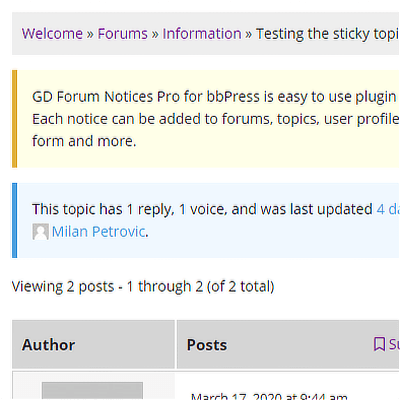
Add notices everywhere
You can add notices to single forums, topics, views, profiles, forms (topic/reply), forums and topics indexes.

Not only as a notice
The notice content can be formatted as a notice, but also as fieldset, callout or custom styled DIV element.
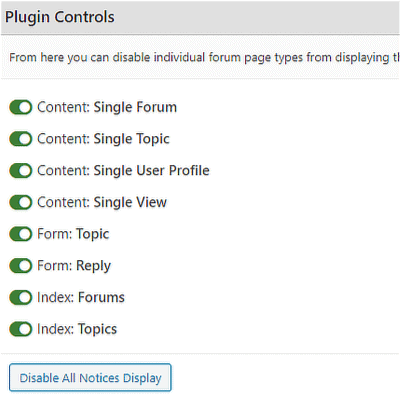
Easy to use
The plugin has no global settings, each notice contains all the settings it needs. And, there is no coding required.
Plugin Video Preview
Check out the short video on how to start with the plugin quickly.

Why do you need this plugin?
If you ever needed to show a custom message to forum users, maybe information about promotion, or some website service information, and maybe show the message to guests, users, or specific user roles only, maybe even limit the message to some forums, then, this is a plugin for you.
Add to that ability to add as many messages or notices as you want, show more than one notice on every page, change the way the notice looks like, or format messages using display rules differently for different forum areas, and even include notices inside forms, you will use this plugin daily.
Define rules to display notices
To show each notice, you can define one or more rules that can use filters and define various aspects of displaying the notice.

Forum Based Filters
For some content types you can define forums based filter – private/hidden forums, selected forums and forum type.
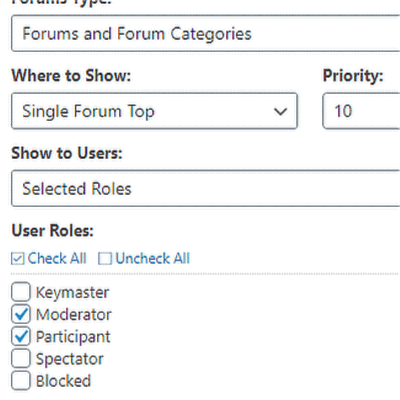
Users display control
And, notice can be displayed only to specific group of forum members (users and/or guests or the user with specific roles).
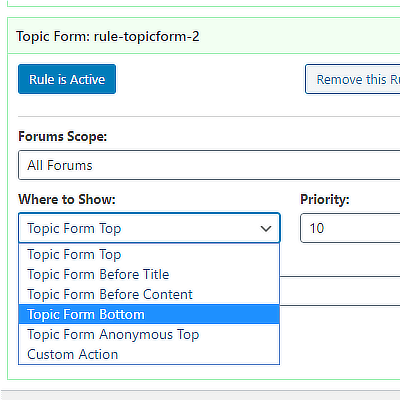
Notice display location
Depending on the content type, for each rule you can select location (usually two or more are available) for displaying the notice.
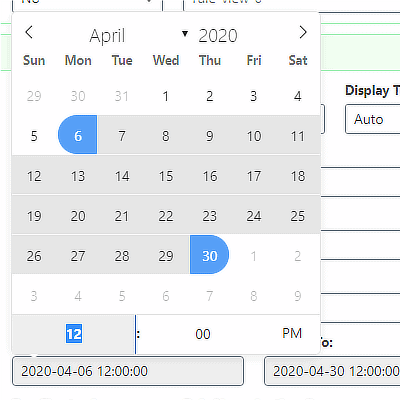
Date range display
With date range control, you can define date range, and the notice will be displayed only during the defined period.
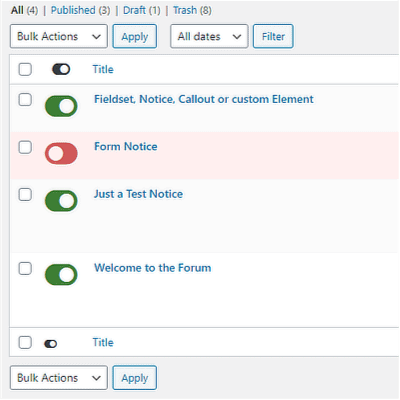
Simple notice toggle controls
All Notices list shows simple and easy to use toggle controls to enable or disable any notice without going through editor.
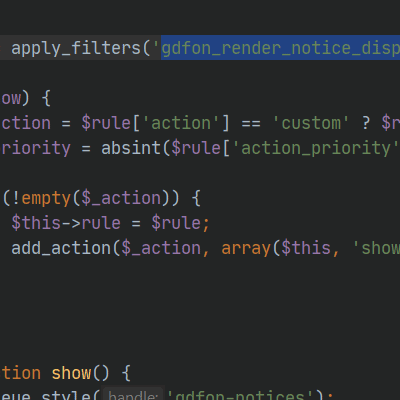
Developers Friendly
The plugin has plenty of filters and actions to allow developers to hook into the plugin and add additional layer of control.
Quick Features Overview
Here is the quick overview of all plugin features
- Very easy to configure
- Each notice can have multiple rules
- Notice in: single forums
- Notice in: single topics
- Notice in: user profiles
- Notice in: views
- Notice in: forums index
- Notice in: topics index
- Notice in: topic form
- Notice in: reply form
- Multiple display rule filter
- Filter: forums selection
- Filter: user roles selection
- Filter: date range selection
- Filter: forum types
- Various methods for display
- Display as: notice
- Display as: callout
- Display as: fieldset
- Display as: bbPress fieldset
- Display as: custom element
- Multiple locations for display
- Additional display element class
- Normal visual editor to edit notices
- Notices can contain rich content
- Process shortcodes in notice content
- Toggle notices and rules on/off
- Only global toggle settings
- Developers friendly plugin
- Various hooks for finer control
All Dev4Press premium plugins share these features
Settings Import and Export
Tools to export all plugin settings into a file with JSON serialization. You can import settings from that file. This way, you can keep your settings safe or transfer settings between websites.
Dev4Press Library
Dev4Press Shared Library contains code and libraries for implementing a unified admin interface, reusable code to speed up plugin development, handling plugin settings, and more.
Regular Updates
Regular updates to fix reported bugs, fix any security issues, and enhance and improve every aspect of plugins. And using our Updater plugin, you can update directly from WordPress.
Complete Localization
WordPress's standard PO/MO translation system makes it easy to translate into any language. Dev4Press includes a GlotPress instance to handle translations for all the plugins.
Excellent Support
One of our primary goals is to provide the best support possible. This includes an active support forum and an ever-expanding knowledge base so you can get all the information you need.
Secure and Clean Code
Made with best coding practices, tested for potential security problems. We are constantly working on maintaining full WordPress compatibility and the highest level of security.
forumNotices Blog & Support Resources
Get the latest news and blog posts, access the plugin documentation and support forums.


Discover more WordPress plugins


