
Using blocks
- Edit a page or post and open the block inserter.
- Find the ArchivesPress category and insert Dates Archives Index, Authors Archives Index, or Terms Archives Index.
- Select the block and use its settings sidebar to choose the data, layout, counts, typography, and colors.
- Publish or update the page, then inspect the resulting index.
The settings belong to each block. See dates, authors, and terms for the available choices.
Configure the block
The Display and Data panels select the layout and content. The Posts Counts panel controls counts, while Typography and Colors change the appearance. Authors also have an Author Avatar panel. Use Advanced → Additional CSS Class when you have a custom CSS class for the index.
For example, the Dates Archives Index block shows its preview alongside the selected block’s settings:
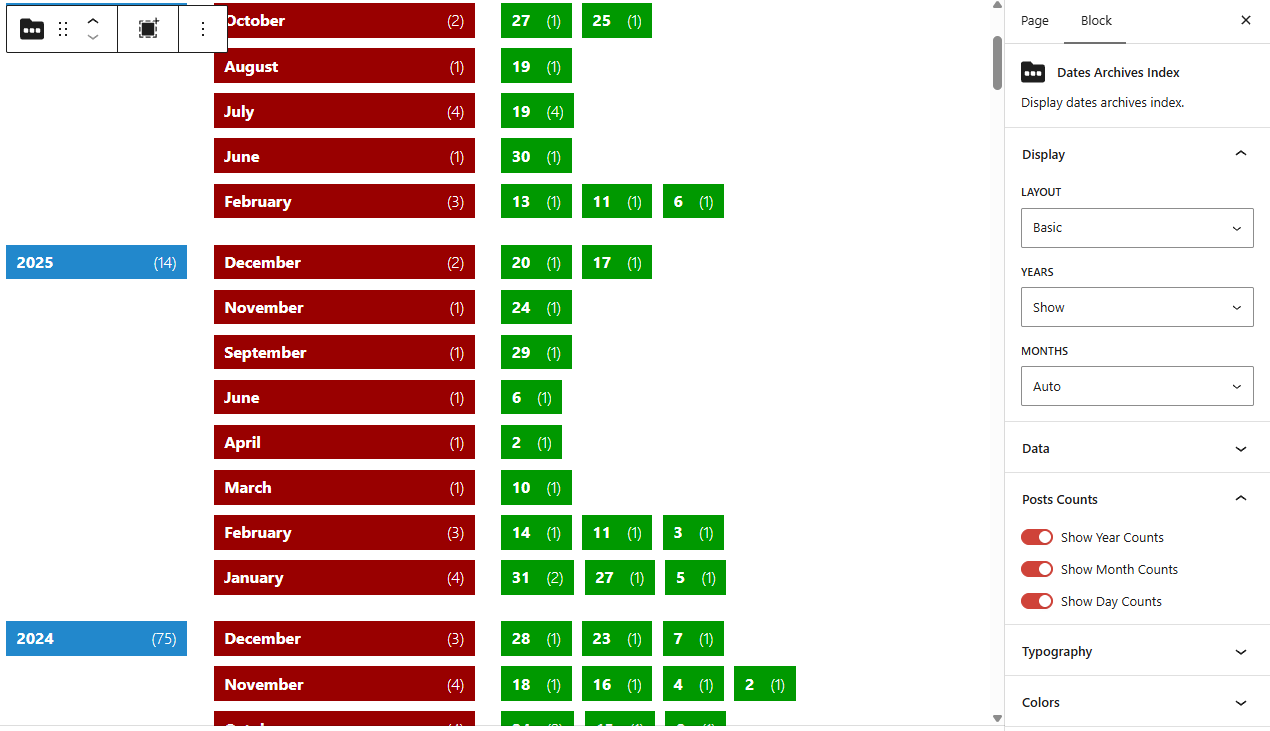
The preview in the editor is rendered from the selected settings. If it is empty, check that there is matching published content and review the troubleshooting steps. After publishing, follow a few links to confirm the archive pages contain what you expect.