
Quick and Bulk Editing
Sign in with an allowed bbPress role and open a frontend forum or topic list. The relevant content type must be enabled on the Getting Started panel.
Edit one item
- Use edit beside the forum or topic. On a single topic, use Quick Edit among its topic links.
- Change the desired fields in the dialog and select Save.
- Check the result after the page reloads. If a field reports an error, review the message and check which changes have already taken effect before retrying.
Edit several items
-
Select the checkboxes beside the items in one list. The selection bar shows the selected and total counts and offers select all and select none.
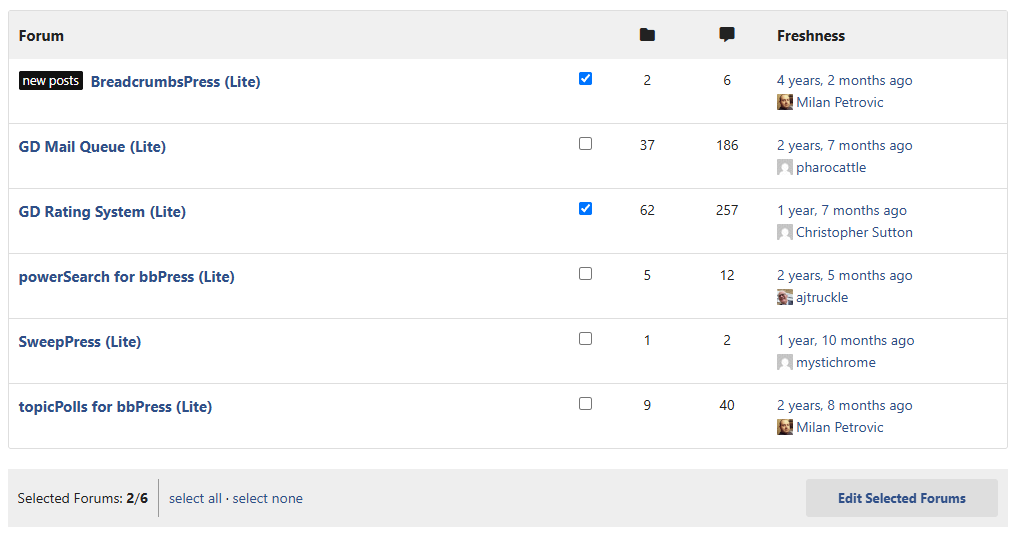
Forum list with two forums selected and the bulk editing toolbar visible -
Choose Edit Selected Forums or Edit Selected Topics.
-
Choose the changes in the dialog. Leave fields at their unchanged choice when they should not be modified, then select Save.
-
Check the result. A reported field error does not necessarily undo other changes.
Selection applies to the controls in that list, so repeat the operation on other pages or lists as needed. Read Editing Forums and Editing Topics for the available fields.