
Using Elementor widgets
With Elementor 3.1 or newer active, open a page in Elementor and find the ArchivesPress widget category. Drag Dates Archives Index, Authors Archives Index, or Terms Archives Index into the page.
Use the widget’s Content controls to choose data and layout, and its Style controls to adjust the appearance. Update the page and check the front-end result. See dates, authors, and terms for index-specific choices.
Configure and style the widget
In Content → Archive, choose the post type, layout, ordering, and counts. The terms widget also asks for a taxonomy, and the authors widget includes avatar controls. The columns control is available for the Basic authors and terms layouts.
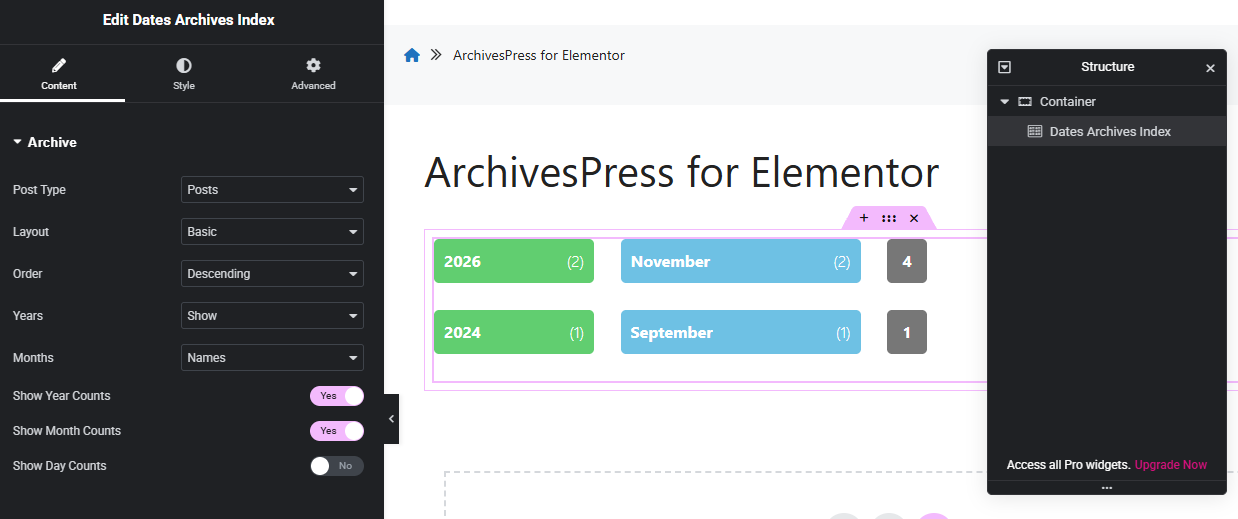
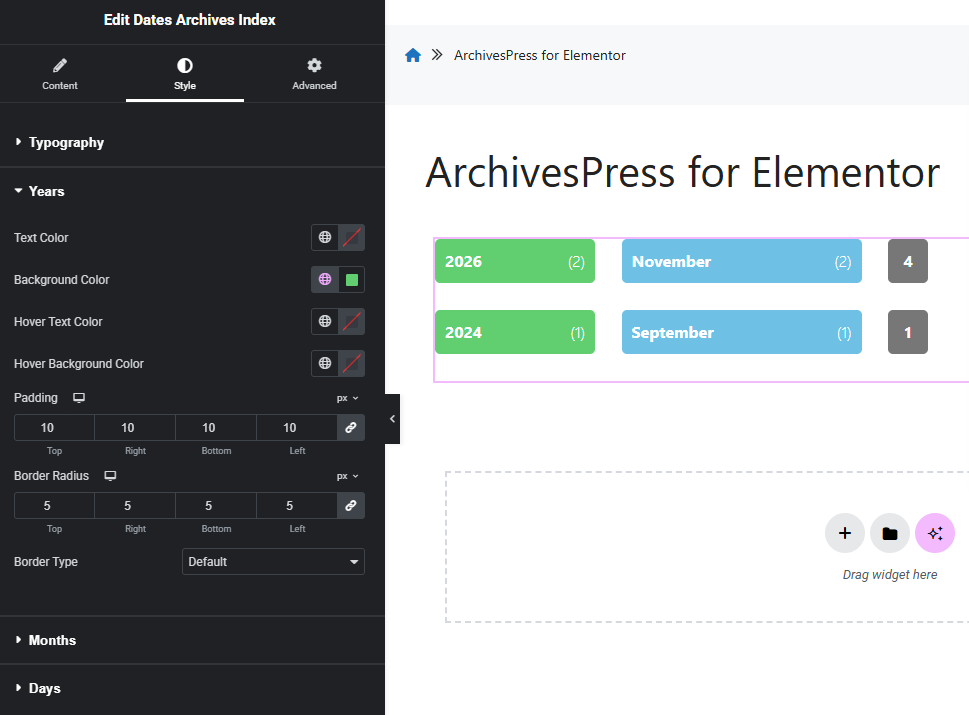
In Style, adjust item and count typography, colors, padding, border radius, and borders. Dates have separate styling sections for years, months, and days. Preview your changes and check the published page at different screen sizes.
If Elementor displays No archive entries found for these settings, review the selected data and the troubleshooting steps.