
Elementor Multi Breadcrumbs Widget
This feature requires BreadcrumbsPress Pro. View pricing and plans.
The Multi Breadcrumbs atomic widget displays available alternative paths to a specific post or page. It requires Elementor 4 with atomic widgets active and an active BreadcrumbsPress Pro license. See Elementor 4 Support.
Add Multi Breadcrumbs to a page or template in Elementor. In Paths to show, enable or disable Basic, Posts, Archive, Author, Dates, and Terms. These select the basic, posts-page, post-type archive, author, date, and taxonomy-term routes respectively. All are initially enabled, but a route appears only when it is applicable to the content and site.
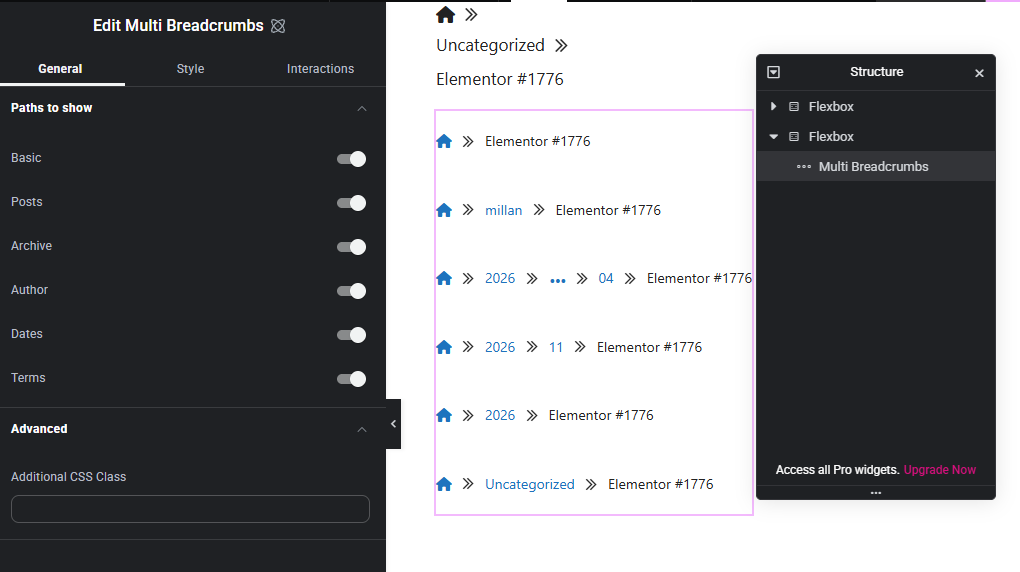
Use Elementor styling to adjust presentation and Advanced → Additional CSS Class to add a custom class. Publish or update and check a representative post. In a template, choose a suitable singular content preview: Multi needs a concrete content post and does not generate paths for an archive context. If it cannot render, check the context and Pro license.
For a single trail, use the Breadcrumbs widget.