Working With Prefixes And Groups

Two main panels for managing prefixes and prefix groups are the starting point to view, edit and add prefixes and groups. You can fist create groups, or you can first create prefixes, in both cases, you can assign prefixes to groups.
Create a Prefix
From Prefixes panel, you can create new prefix, by clicking on the Add new Prefix button. The prefix dialog requires only one value: name of the prefix. All other elements are optional.
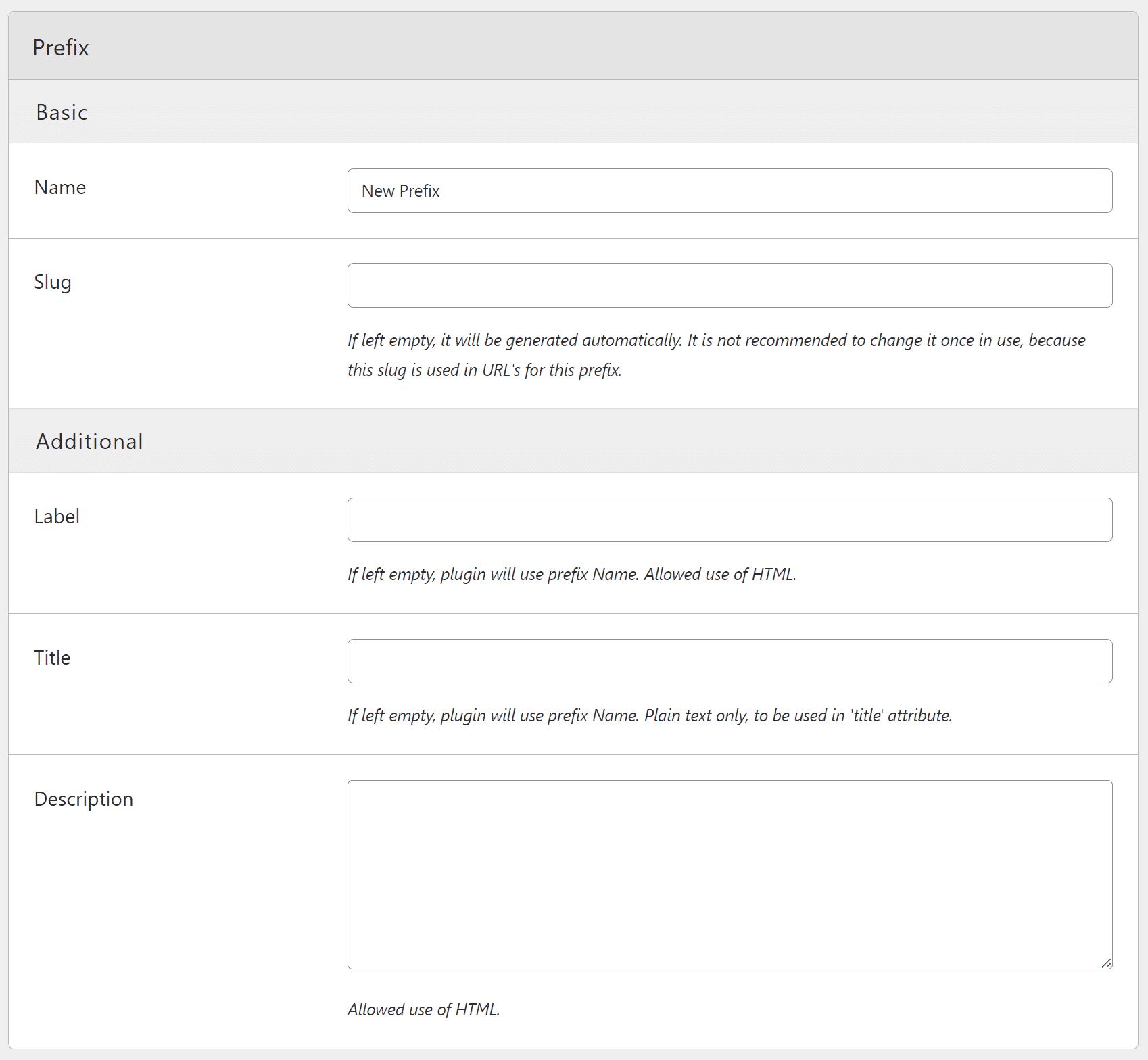
- Slug: If left empty, it will be generated automatically.
- Label: If left empty, plugin will use prefix Name. Allowed use of HTML.
- Title: If left empty, plugin will use prefix Name. Plain text only, to be used in ‘title’ attribute.
- Description: Allowed use of HTML.
It is not recommended to change slug once it is in use, because this slug is used in URL’s for this prefix.
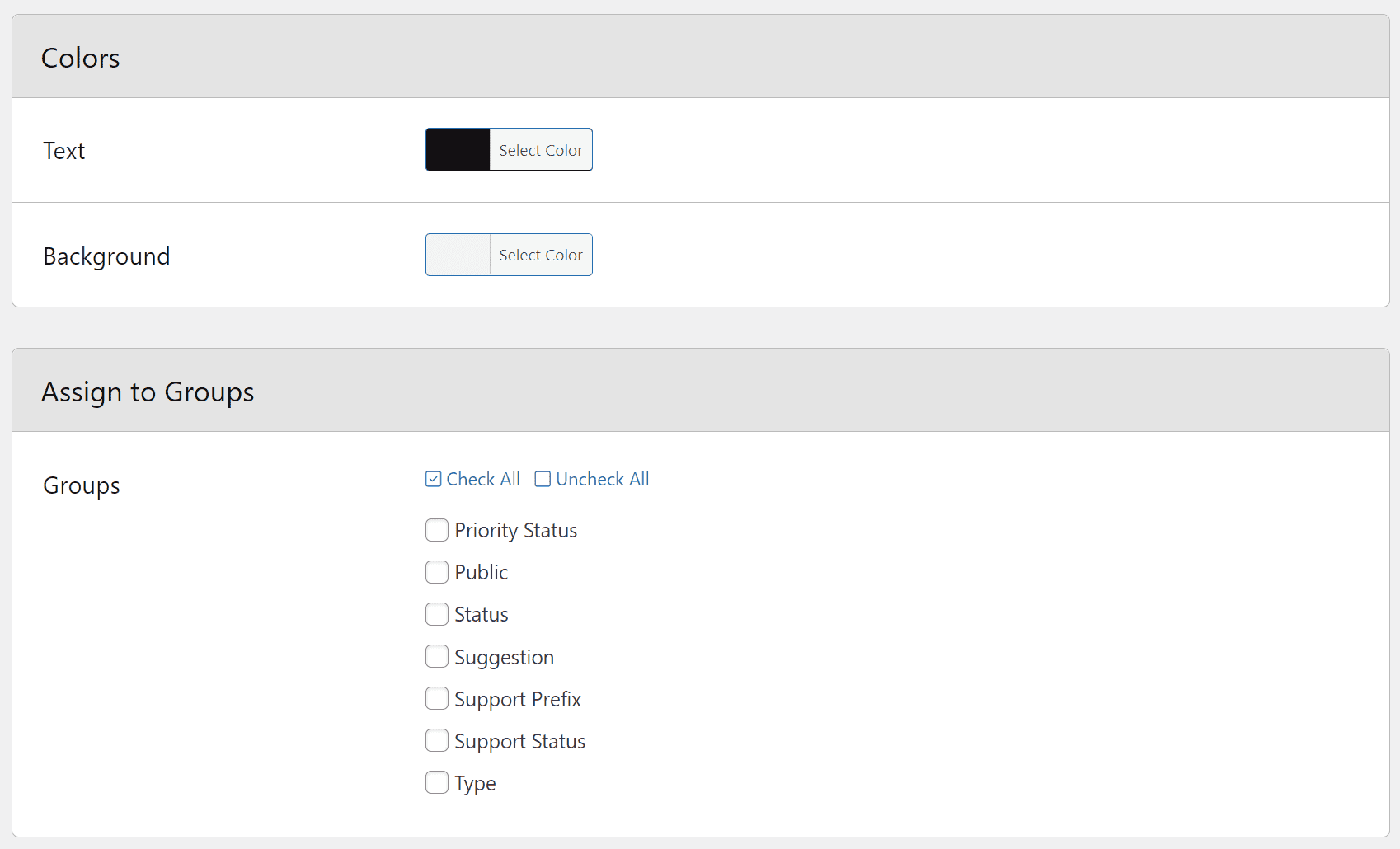
Finally, you can select colors and assign the prefix to one or more groups.
When it comes to colors, make sure to be consistent and to have sufficient color differences between text and background to improve readability. Some methods for displaying prefixes, allow for colors reversal (using text for background).
Edit Prefix
From the Prefixes panel you can edit any prefix. The edit form is the same as the form for creating new prefix.
Create a Group
From Groups panel, you can create new group, by clicking on the Add new Group button. First part of group setup is exactly the same as with the prefix.
Basic Group Rules
But, the main part of the setup, is the selection of the prefixes, and basic requirements.
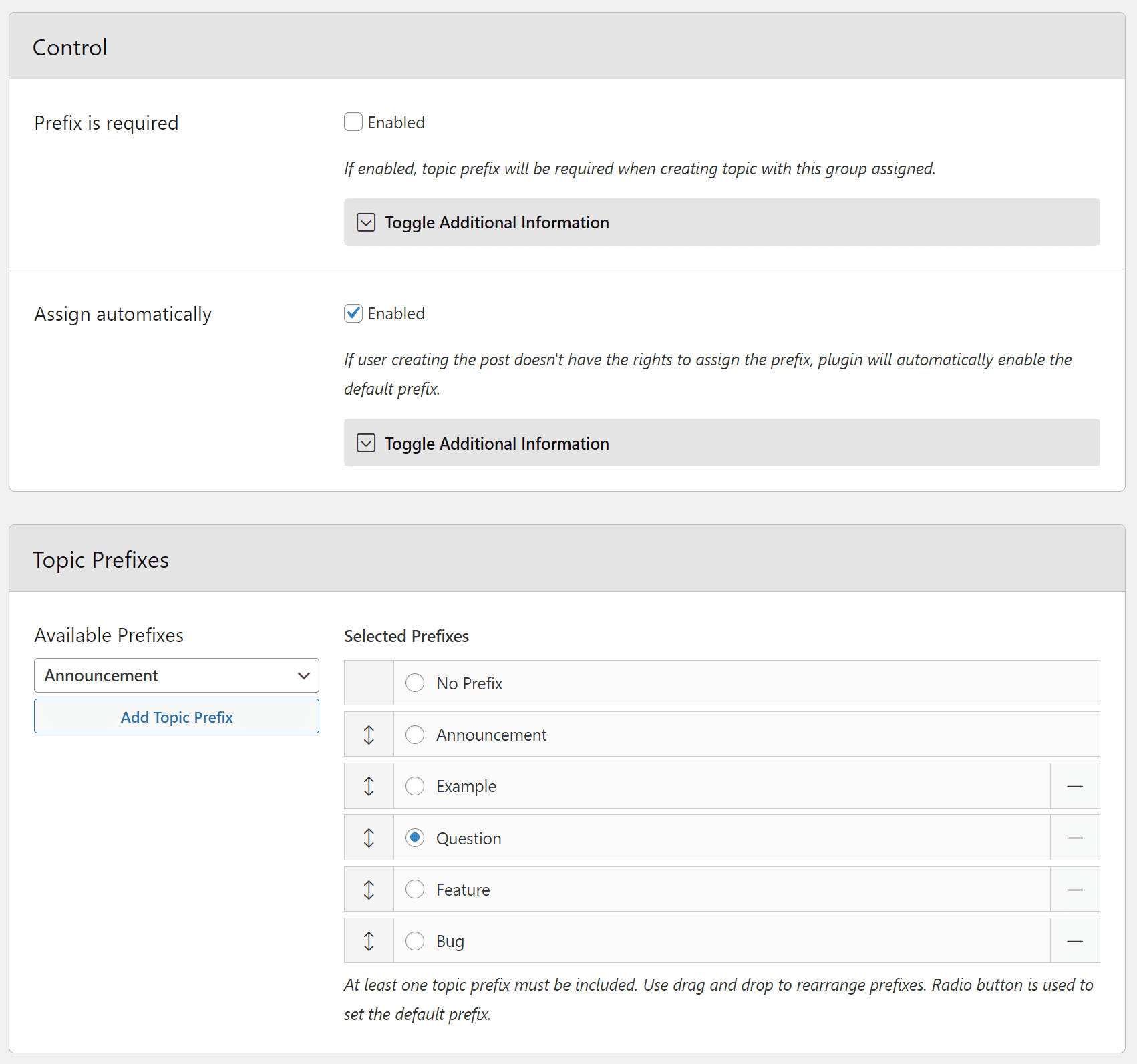
For every group you can make prefix selection required. That means, if the group is visible in the form, prefix has to be selected. In the same time, there is Assign Automatically option available. With that, you can have prefix group hidden in the form (user doesn’t have the permission to set the prefix for the group), but on topic save, default prefix will be assigned to the topic.
You can add one more prefixes to the group. Controls allow you to rearrange prefixes, and you also have radio control to make one prefix default.
Form Integration
Each group can be added to the topic and reply forms. You can configure the way the selection block will look like. Basic selector is simple SELECT (Dropdown) control, but you can show it using radio selection controls (list or inline). Radio control is best to use for groups that have only few prefixes to show. Groups with a lot of prefixes, are better as dropdown.
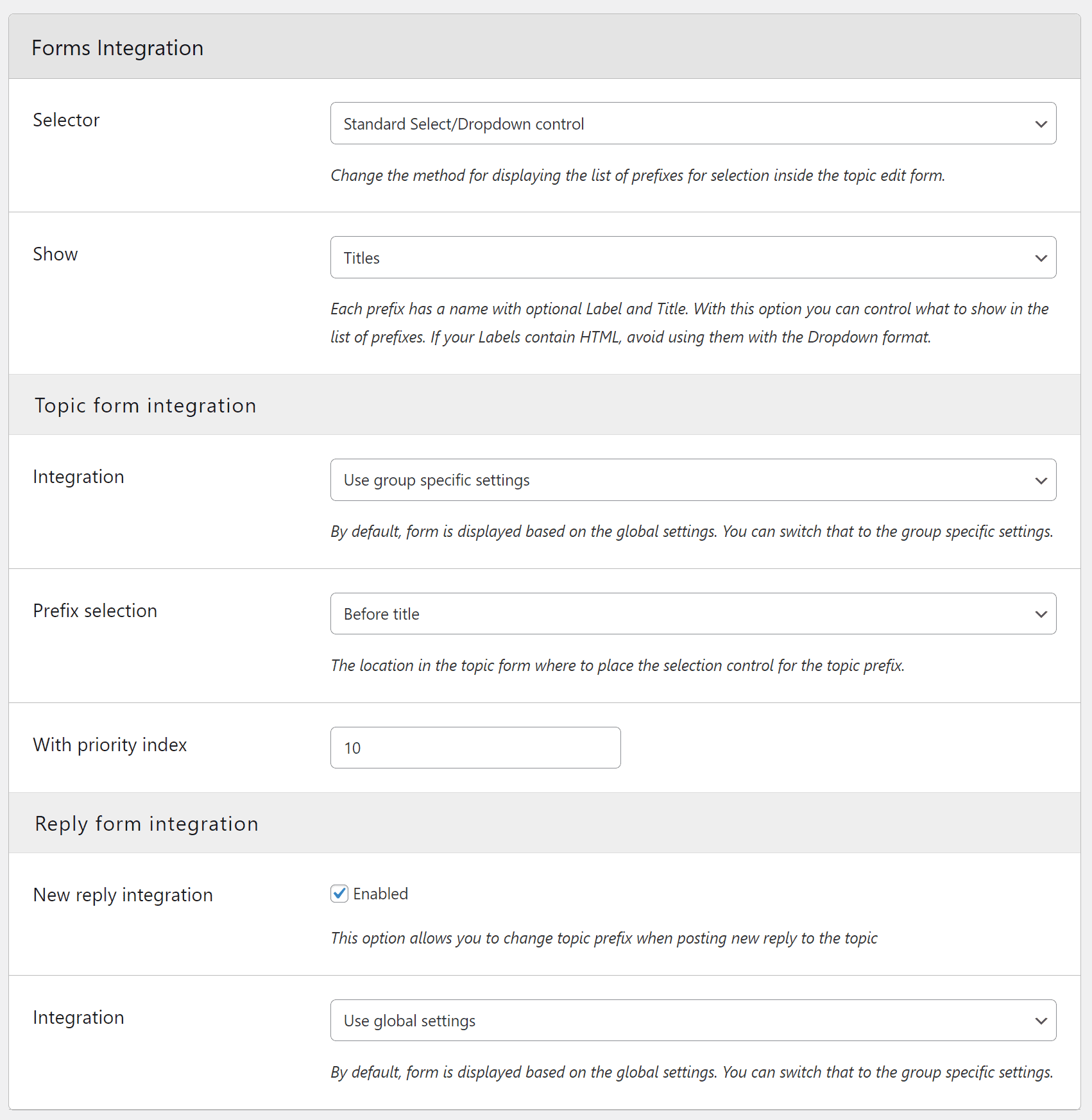
To display list of prefixes, plugin uses prefix title by default. Each prefix has a name with optional Label and Title. With this option you can control what to show in the list of prefixes. If your Labels contain HTML, avoid using them with the Dropdown format.
Finally, for both topics and reply forms, you can use global settings, or use different form position for some forms.
Prefix Display
When it comes to displaying the prefix once it has been assigned to the topic, you can first select the style for it, including one to have reversed colors used.
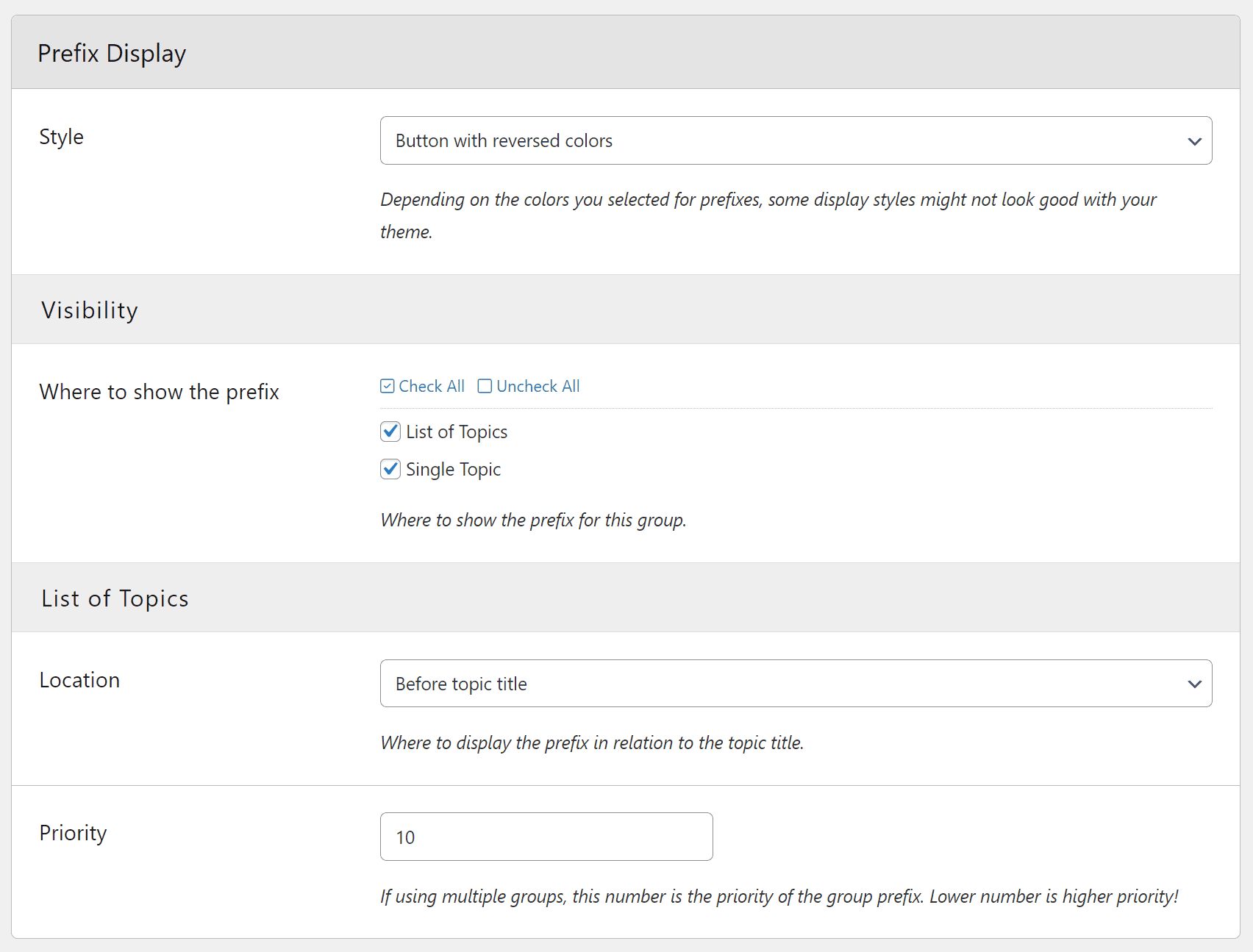
When it comes to visibility of the prefix, prefixes can be added to topic lists (single forums, views) and to single topic pages. For topic list integration, you have options to control location of the prefix.
For single topic page, plugin will add notice with all assigned prefixes (this is global option), and plugin also attempts to inject prefix inside the topic title. This second element will not work everywhere, because topic title is controlled by the theme, and it is not added the same way in every theme.
Forums
Now, you can assign group to one or more forums. You can assign the group to all forums too. But, if you in the future add new forums, you need to go back and review group assignment and add new forums if needed.
Permissions
To use the group and set the prefix, you have various permissions for fine control over the process.
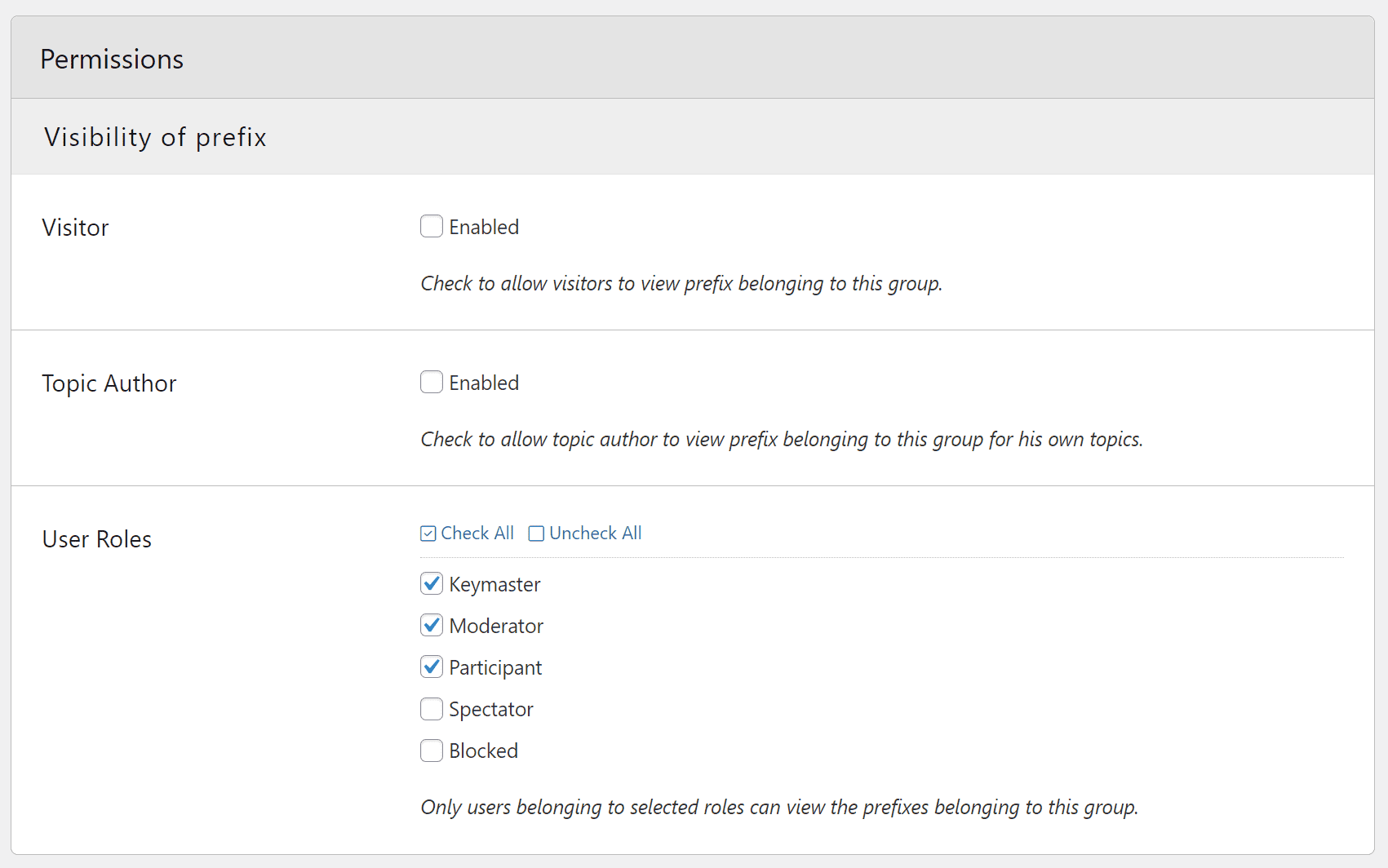
- Visibility of prefix: this controls who can see the prefix belonging to the group on the frontend. This allows you to have prefix assigned, but hide it from regular users, and show it to moderators and keymasters only.
- Set prefix for new topic: this control the user roles that can set the prefix when creating new topic. With this, it is important to take into account basic group settings for prefix assignment.
- Change prefix from topic edit: when topic is edited, prefix can be changed, and these permissions control who can do that.
- Change prefix from new reply: if the new reply is posted, prefix can be changed for the topic, and these permissions control that.
Edit Group
From the Groups panel you can edit any group. The edit form is the same as the form for creating new group.
Admin side Integration
The plugin integrates into Forums and Topics panel on the admin side.
Forums Integration
On the forums panel, plugin adds new column showing all prefix groups assigned to each forum. And, you can filter list of forums by group via group link or the filter dropdown.
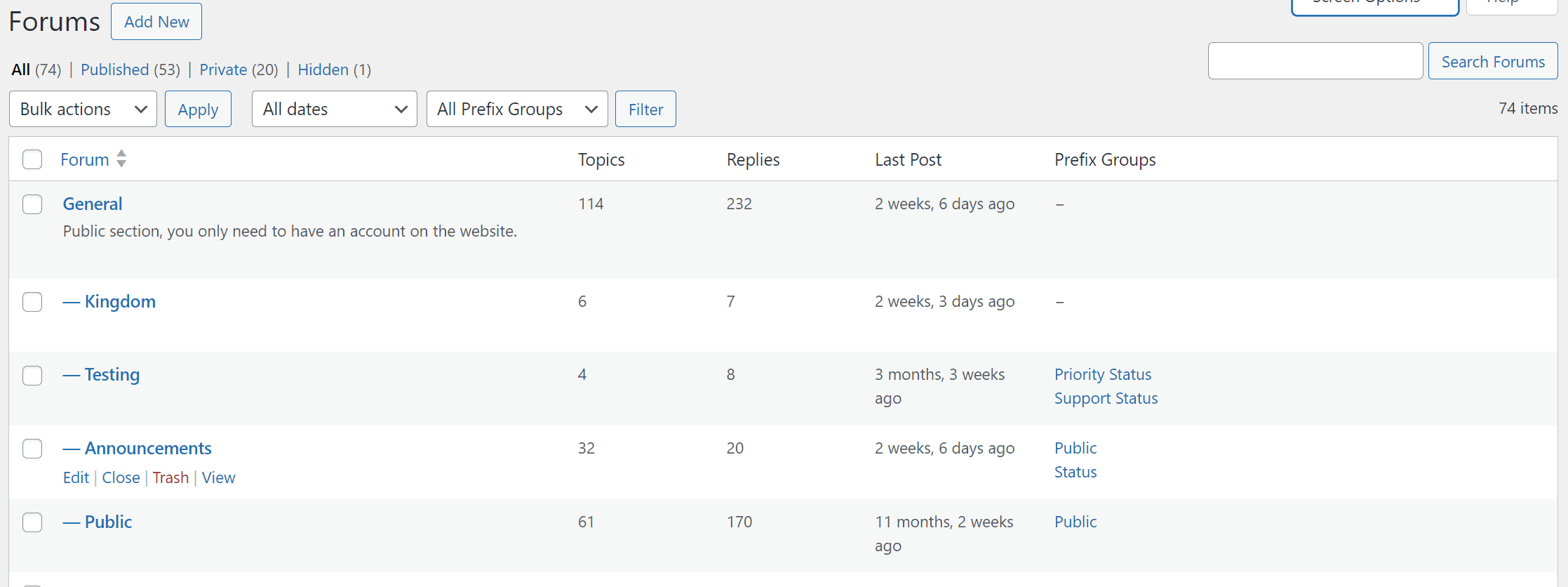
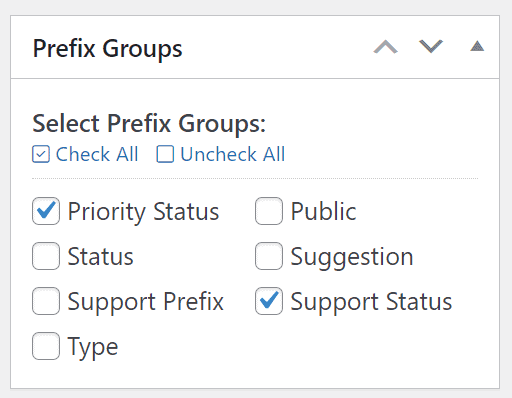
If you edit forum from this page, you can use new metabox to select groups to assign to the forum.
Topics Integration
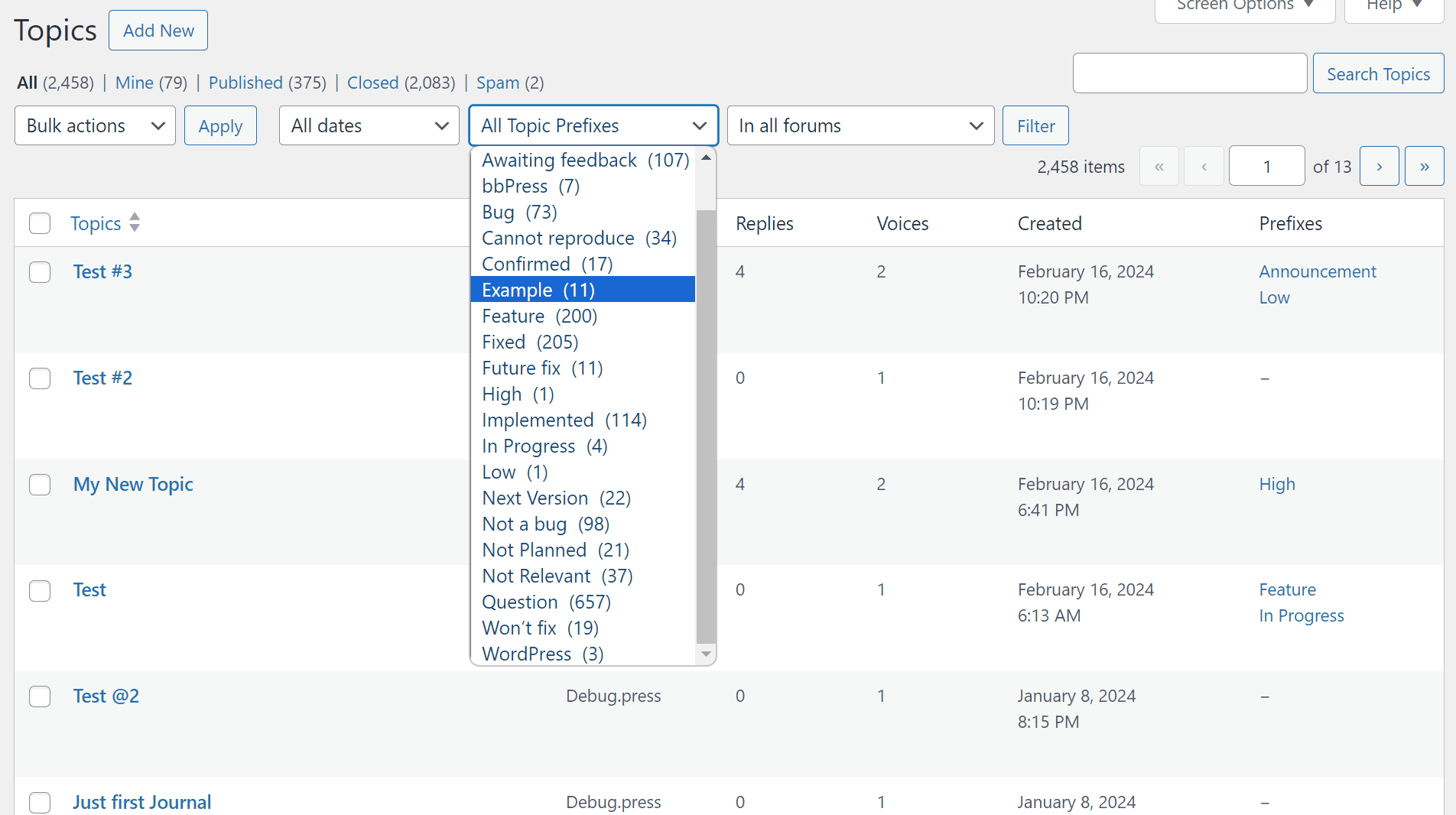
On the topics panel, plugin adds new column showing all prefixes assigned to each topic. And, you can filter list of topics by prefix via prefix link or the filter dropdown.
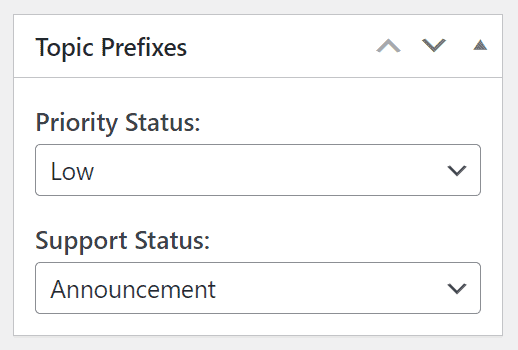
And, if you edit topic, you will see the new metabox to change the assigned prefixes.