
Post Anonymously
bbPress allows anonymous users to post (if option is enabled), so that visitors without account can post. But now, with GD bbPress Toolbox Pro you can add option for all logged-in users to choose and post anonymously.
This feature has a lot of settings to control the posting process, connection of anonymous post to user account, limit the posting to specific forums, and even have designated forums where posts will always be anonymous.
Email and name required for bbPress anonymous posting will be generated by the plugin, and you have options to control the process.
Posting Settings
Users and Forums
Limit users who can use anonymous posting by user role, and select which forums will allow anonymous posting.
Anonymous Account
The main part of generating the name and email is the pseudo unique HASH value. Hash is generated from several parameters available at the time of posting. If you want each user to have unique HASH for each posting, use Real ID and/or Real Email. If you enable use of Forum ID, HASH will be unique for all posts inside one forum.
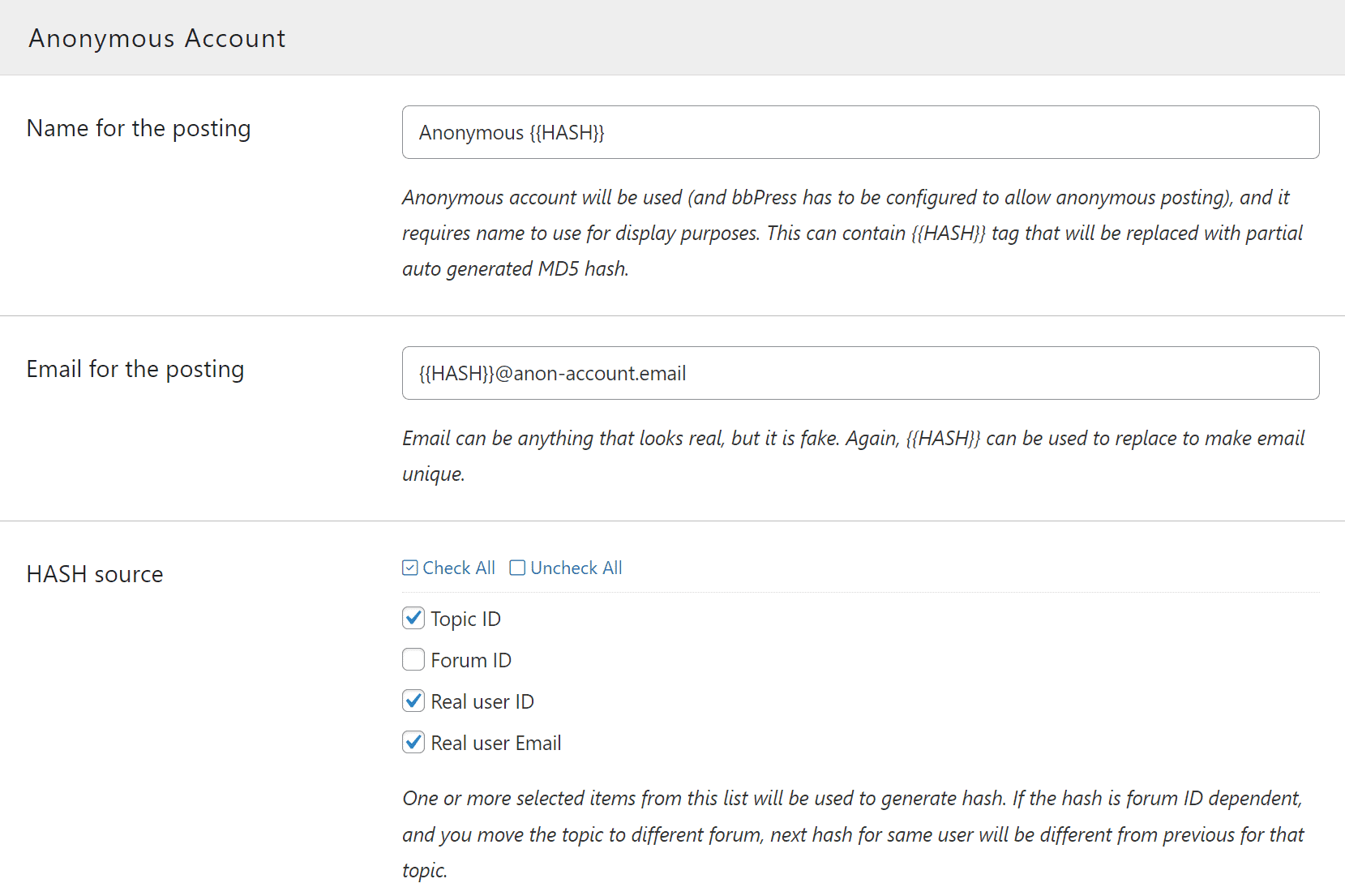
You can change default name and email, and you can use HASH for both (not required).
Store Anonymous to Real account link
Optionally, you can keep connection between anonymous postings and user who posted, and allow keymasters and/or moderators to be able to see real identity for every anonymous posting. Account connection can be kept indefinitely or for a specified number of days.
Integration
Forms
You can select the position of the anonymous control location for topic and reply forms.
Forced Anonymous posting in selected forums
And, you can set forums where all posts will be always anonymous for all users. But, you can have exceptions to that for keymasters and/or moderators.