
Editing Topics
Enable Edit Topics and sign in with an allowed role. The editing workflow is available from topic lists, and Quick Edit is also available on single topics.
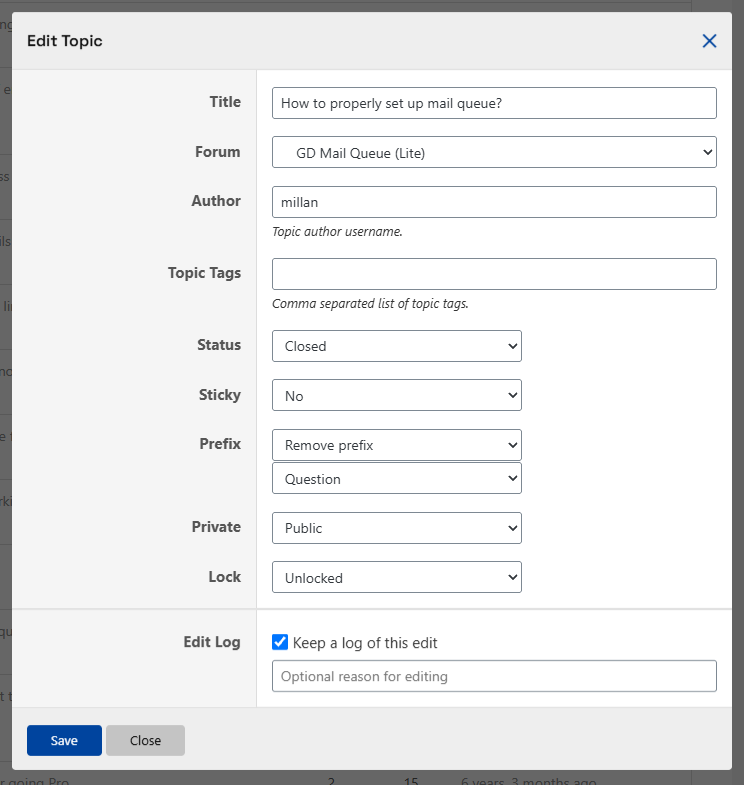
For one topic, the dialog offers title, forum, author, status, sticky status, and topic tags. Enter the author’s username; enter tags as a comma-separated list. Sticky choices include No, Sticky, and Super Sticky.
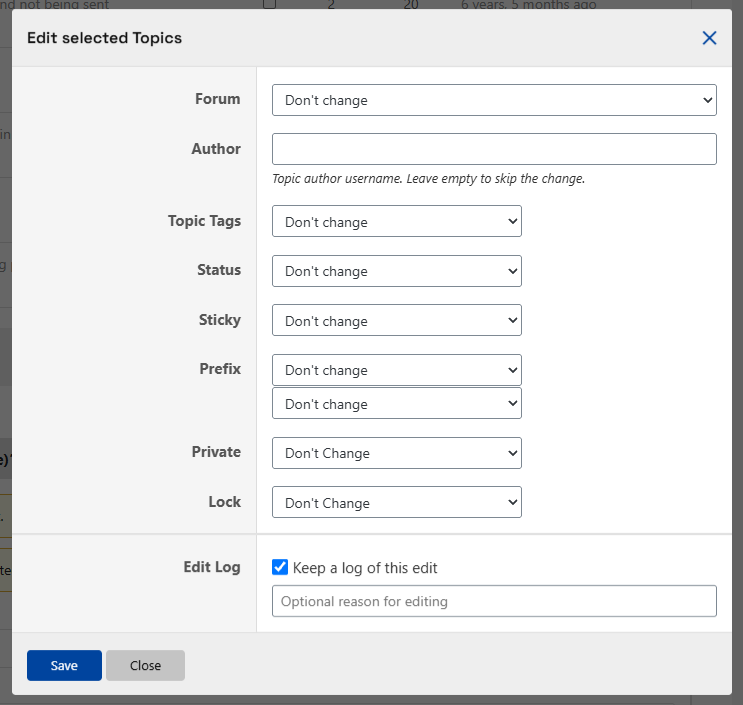
The screenshots also show Prefix, Private, and Lock fields supplied by companion plugins; these are not built-in forumManager fields. See Plugins That Add Editor Options for their requirements. Your available actions can differ.
Bulk editing offers forum, author, status, sticky status, and removal of topic tags. It does not rename topics or assign a new list of tags. Leave the bulk author field empty to skip changing it. Tag controls are available when bbPress topic tags are enabled. Some options may be unavailable in Topic Views.
The optional Topic Edit Log can record a reason for changes.