
Explore Block
This feature requires coreSocial Pro.
Use the Explore block to offer AI exploration for the current page or a post supplied by a containing block. Complete the provider and default-prompt setup in Explore with AI first.
Add and choose providers
- Insert Explore from the coreSocial block category.
- Select and reorder enabled providers in AI Networks.
- Leave the prompt empty to follow the saved default, or enter an override in Prompt using
{title}and{url}. - Save and test the public page, including Gemini if selected.
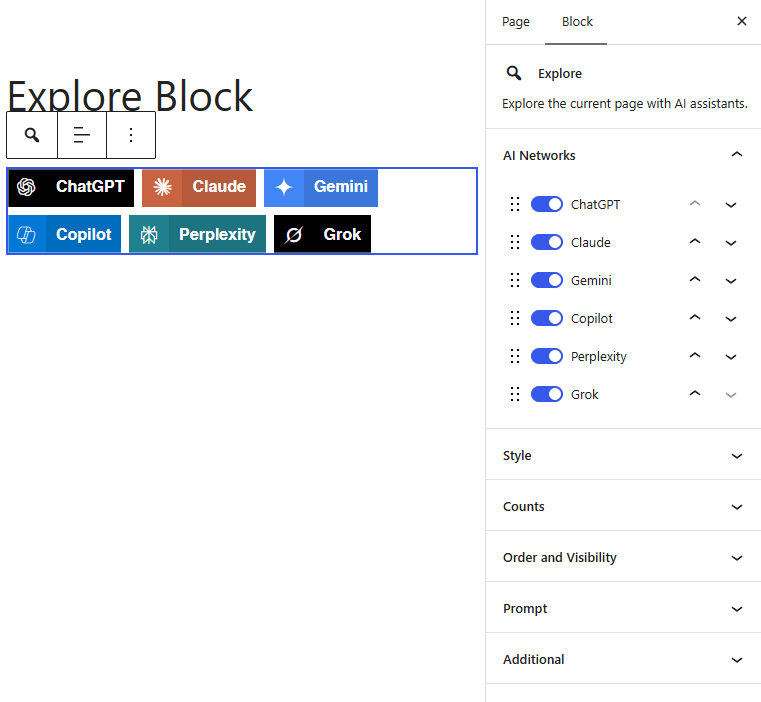
An explicit empty provider selection renders no buttons. Disabling a provider in AI Networks removes it from output.
Default and custom styling
New Explore blocks use Style → Use default styling. Their display, count, and visibility settings follow Settings → Explore with AI while that option remains enabled.
Changing a display option stores custom settings for that block. Re-enable Use default styling to follow the current defaults again. A prompt override is independent of the styling choice.
Style, Counts, and Order and Visibility offer layout, colors, shape, sizing, click-count visibility, count ordering, and a More button. Counts are internal clicks as explained in Counts and Logging.
Context and testing
In Additional → Page Context, use Global Context for the current page or Block Context for a post supplied by a containing block. In a Query Loop, check several posts’ titles and URLs rather than relying on one editor preview.
Test the actual provider destination on the front end. Provider sign-in and page access vary, and buttons in an editor preview are not proof that the provider can read the page. The Explore guide explains the Gemini copy-and-open workflow.