coreSocial 4.0 introduces new ways to share and explore your content. Highlights include Explore with AI in Pro, dedicated Elementor 4 widgets, additional sharing destinations, and more control over button presentation. The release also improves tracking, styling, and developer customization.
Explore your content with AI
The biggest addition to coreSocial Pro is Explore with AI, with buttons for ChatGPT, Claude, Gemini, Copilot, Perplexity, and Grok. Readers can use these destinations to request summaries, ask questions, or explore a page’s subject further.
Customizable prompts include placeholders for the page title and URL. Set a shared prompt or override it for individual placements. When readers choose Gemini, coreSocial shows a dialog where they can copy the prompt before opening Gemini. Page access and responses depend on the selected AI service.
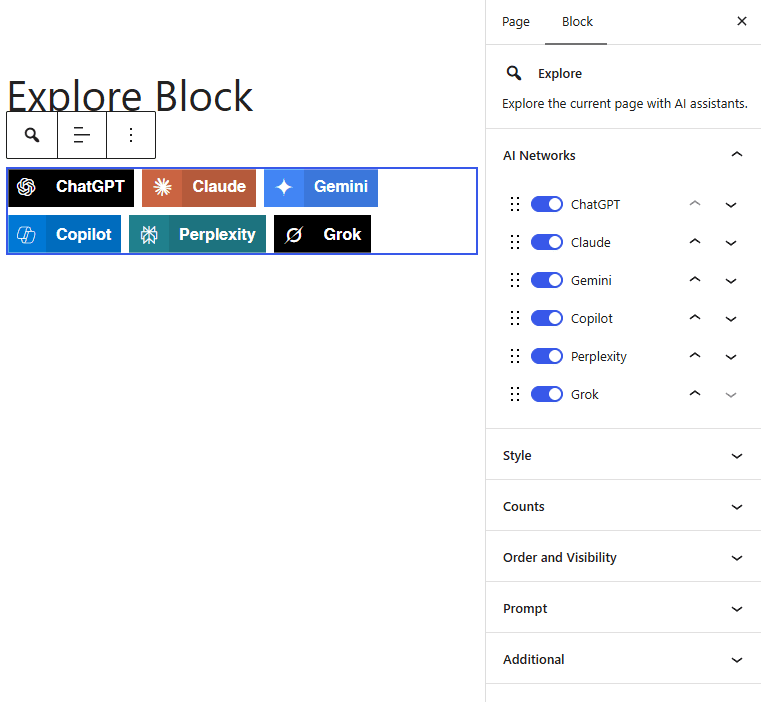
Add Explore through a WordPress block, Elementor widget, shortcode, or PHP display function. Choose providers, arrange their order, and customize their appearance. Explore clicks are reported separately from social shares.
Elementor 4 and more ways to share
New Share and Profiles Atomic widgets are available in both Lite and Pro. Pro also includes the Explore widget. Select and reorder buttons or profiles, adjust their appearance, and place them in pages and templates using Elementor’s controls. These widgets require Elementor 4 with its Atomic widgets functionality available and enabled.
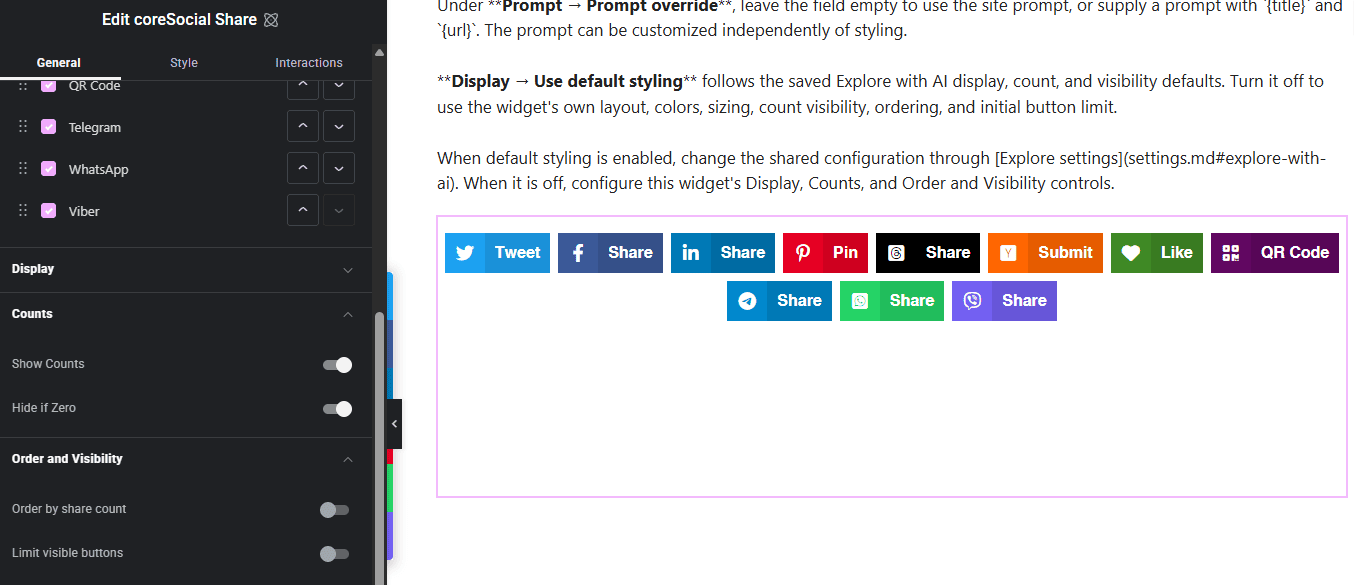
Threads, Hacker News, and Gmail are now available in both editions. Gmail opens a compose destination containing the page title and URL, alongside the existing standard email option.
Pro adds Telegram, WhatsApp, Viber, and Messenger sharing. Enable the methods you need and select them in the placements where they should appear. Messenger additionally requires a configured Meta App ID and Redirect URL.
For larger button groups, Pro introduces ordering by count and an option to limit initially visible buttons. A More button reveals the remaining choices, keeping the initial group compact without removing destinations.
The Pro Floating Bar also gains a collapsible desktop tab mode. A narrow strip remains at the screen edge, expanding when visitors hover over it or move keyboard focus into its buttons.
More reliable tracking and developer control
Version 4.0 strengthens request validation, escaping, and sanitization. It fixes counting problems during simultaneous requests, improves duplicate-Like protection, and respects the individual logging setting while allowing aggregate counting to continue.
Stored item URLs are refreshed when permalinks change. Frontend scripts and styles are separated by edition, keeping Pro-only scripts and styles out of Lite’s frontend loading. Additional fixes address social profile settings, live count display, styling, and QR Code availability on case-sensitive file systems.
Developers gain PHP filters and actions for network selection, button arguments, profile data, Explore prompts, recorded interactions, and online count results. JavaScript events expose tracking and Copy URL outcomes, with documentation and examples for integrations.
coreSocial 4.0 requires WordPress 6.7 or newer and PHP 8.1 or newer. Check your hosting environment before updating. Support for Yummly sharing has been removed.
To see the list of all the changes in this version, please check out the changelog. If you find any issues with the new version, please, report them in the support forums.