
GD Content Tools Pro is a brand new plugin with addons based architecture for managing custom post types, custom taxonomies, meta fields and meta boxes integration with posts, terms, and users.
This is a first official release for this plugin, but the version number starts from 5.0 to honor the legacy of GD Custom Posts and Taxonomies Tools Pro plugin that will be effectively replaced by this new plugin. And, in line with our other plugins, this one has will have a code name for every major version. For this plugin, I have decided to use character names from my favorite TV show Farscape, and the first character used is Rygel.

GD Custom Posts and Taxonomies Tools Pro plugin was long overdue for the major update. But, it’s outdated code and structure was a major obstacle in making the transition to the new version. So, the decision was made to rewrite the plugin and release it under the new name. This way, there is no issue of the compatibility (it is not the same plugin with the new version number, it is a new plugin), and the plugin can be made much better without the burden of old plugin legacy code. And, all users with a license for GD Custom Posts and Taxonomies Tools Pro will automatically get access to the new plugin. You can read more about that here: Updating existing licenses with GD Content Tools Pro access.
GD Content Tools Pro is massively improved over the original GD Custom Posts and Taxonomies Tools, and by the strange coincidence, GD Content Tools Pro today’s release is exactly 7 years to the day since the GD Custom Posts and Taxonomies Tools was released on September 20, 2009.
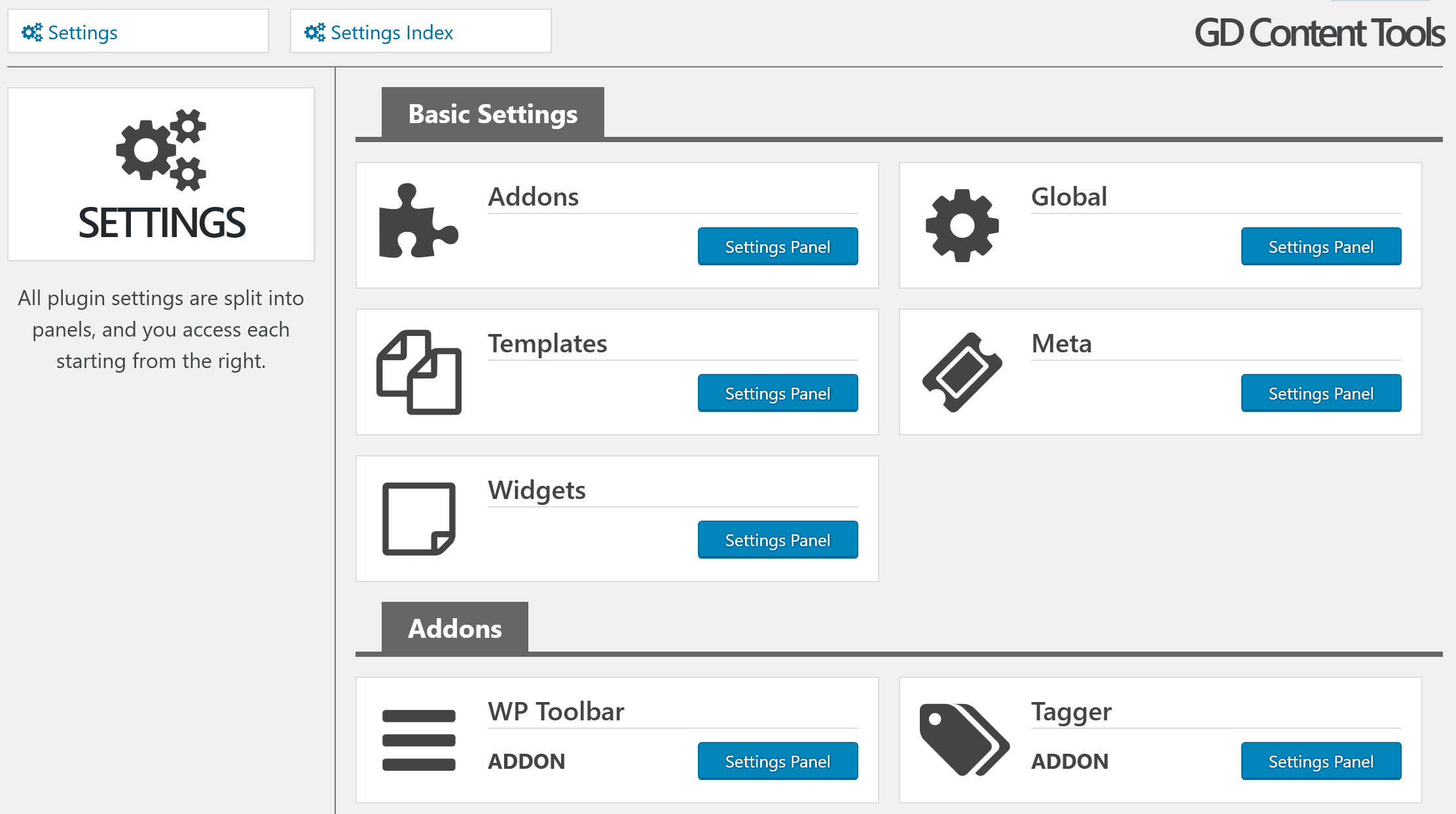
New Interface
In line with all other Dev4Press plugins, GD Content Tools Pro uses the same admin side interface, easy to use and fully responsive with all plugin features organized in several panels with plenty information provided to help you understand different plugin features and options.
Included plugin widget also use our enhanced tabbed interface with all widget settings organized to help you to make it easy to find what you need to update when configuring the widget.
Major Plugins Features
This plugin contains many features. For what you would normally need several plugins, GD Content Tools Pro brings different content management tools under one roof.
The plugin uses addons based architecture to allow us to easier expand plugin with new features in the future.
Here is the list of major plugin features:
- Register new custom post types
- Special post type features
- Custom rewrite rules for custom post types
- Additional theme templates registration
- Register new custom taxonomies
- Special taxonomies features
- Add images to the taxonomy terms
- More than 30 basic meta field types
- Create simple and custom meta fields
- Create meta boxes from custom fields
- Assign meta boxes to any post type posts
- Assign meta boxes to any taxonomy terms
- Assign meta boxes to any user (by user role)
- Integration menu for WP Toolbar (Addon)
- Extract terms from posts (Addon)
- Integrate meta boxes in bbPress (Addon)
To get the better insight into all plugin features, check out the plugin mini website with all features overview. If you need more information, you can contact us and request the demo website to test the plugin.

Meta Fields & Boxes
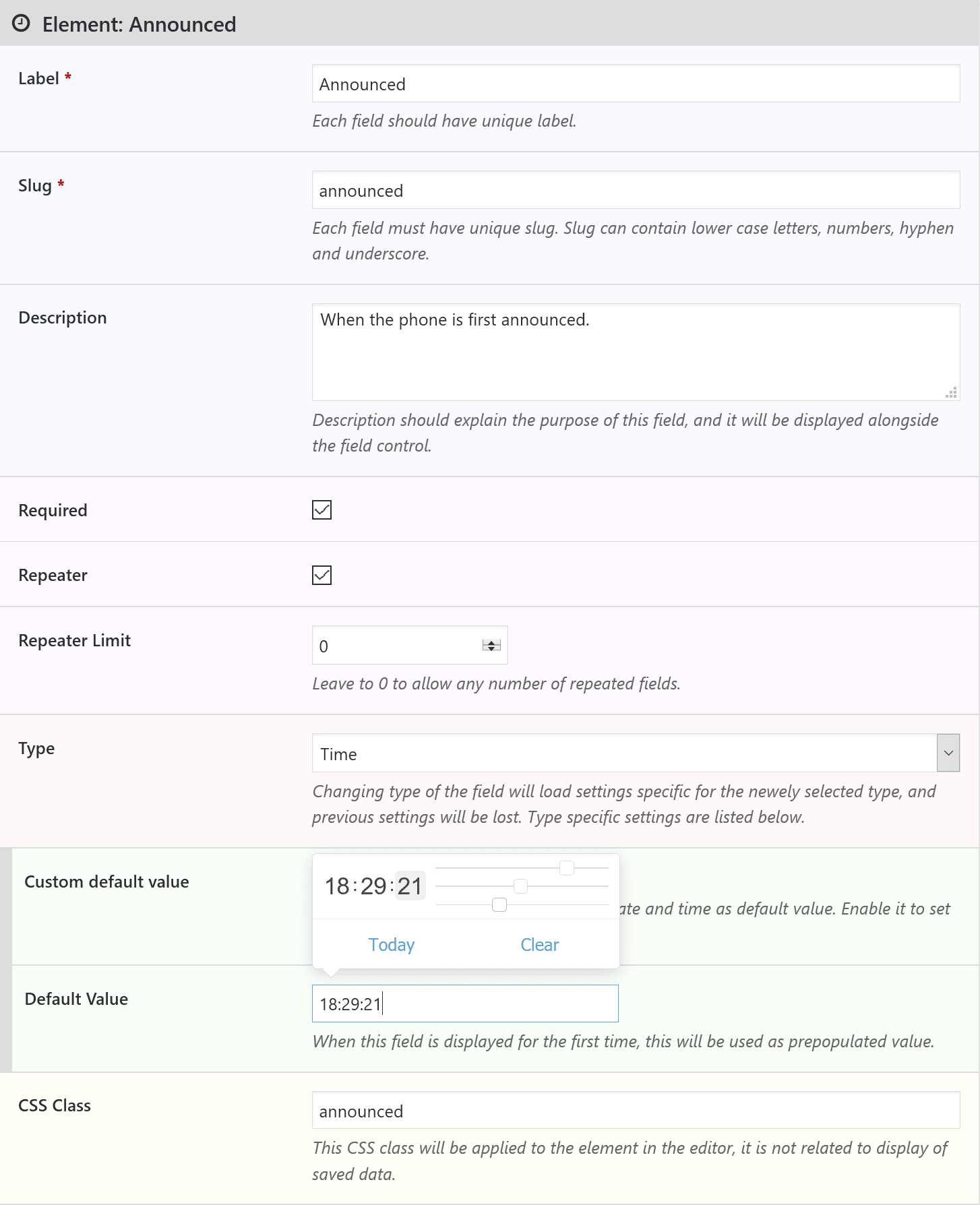
The feature that has gone through the biggest update is meta fields and meta boxes system. Changes are made on every level, from easier to use interface, to fully responsive data editors embedded in the posts and powerful loop based system of functions and objects to display metadata in the theme or other plugins.
Metabox generated by the plugin is responsive, it uses data aware controls, color picker, date/time pickers, WordPress own file/image upload dialog, TinyMCE editor and more. Most fields support the use of repeaters and each field in the meta box can be set as required.
And more
There are many more features, and I recommend you explore them through the mini-website dedicated to this plugin.
This is a new plugin, and no matter how much testing was done, I expect that there are some unresolved bugs still in there. Please, report any issues you find, and I will do my best to fix them as soon as possible. Make sure to check out the knowledge base where many articles and tutorials are already published, including several videos.
And, finally, here is the features overview vidoe I recommend you check out first.

,%20Dev4Press&media=https://www.dev4press.com/wp-content/uploads/2016/09/pro_plugin_gd-content-tools.png)