
GD Topic Polls Pro 1.1 (code name Anubis) is a new major release that includes many new features, all based on the user feedback from the past two weeks.
The new version brings many new features, including results sorting, administrator controls for some poll fields, improved percentage calculations, use of HTML in the individual responses, improvements in the poll results display and more.

The new version gives a lot more control for the poll to administrators, that will allow hiding some of the poll form fields that are not essential. This allows the administrator to hide fields: who can vote, vote removal, and showing results. And, at the same time, it can set default values for these fields. There are new options to allow removal of description field, and option to allow HTML to be included in the individual responses.
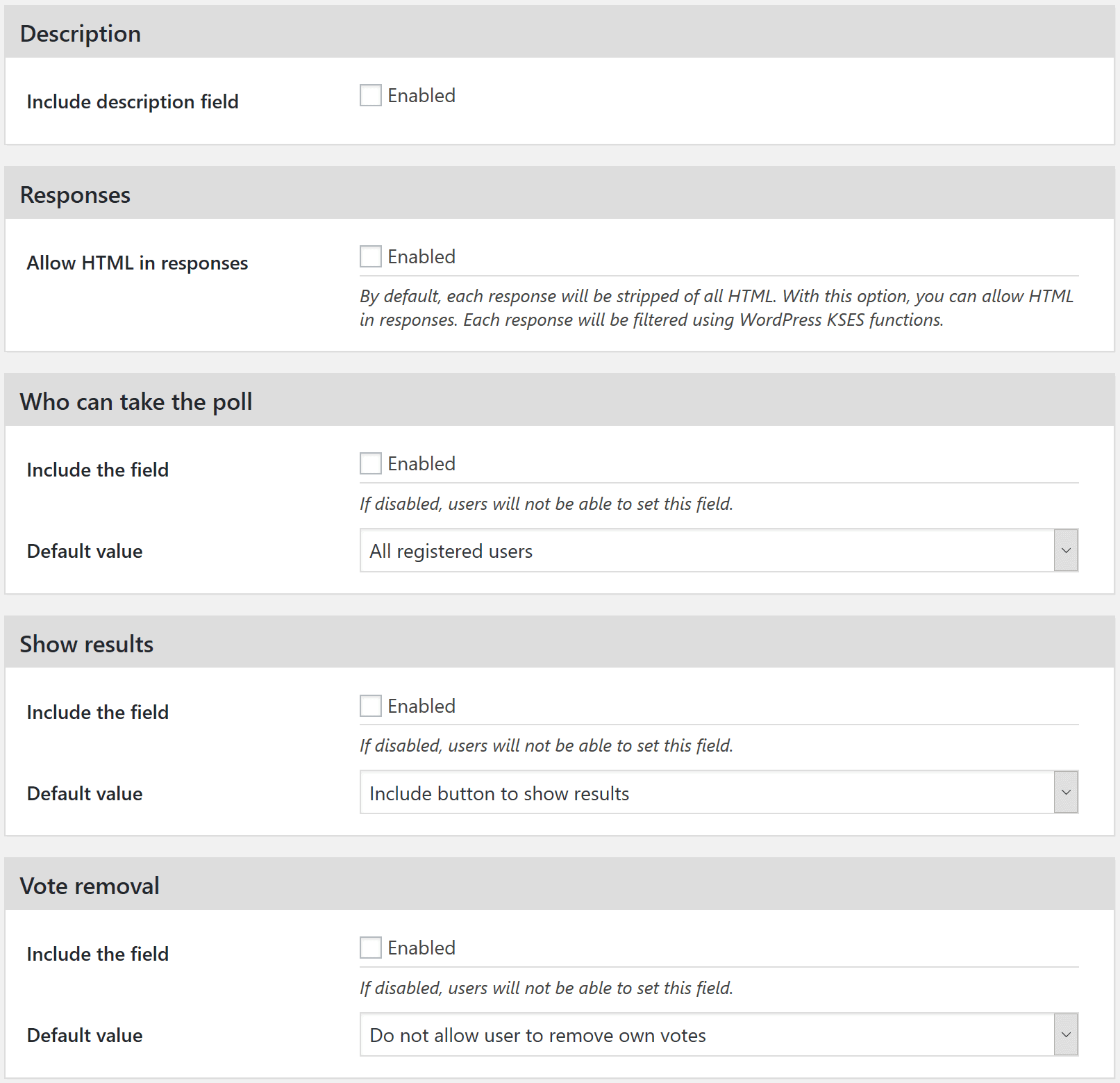
For displaying the poll results, the plugin has new options to set the size of voters avatars, limit number of voters displayed and links to the voter’s profiles. For poll results, calculations can be changed, so if you have multi-choice polls, percentages can be calculated based on voters or votes. And, poll results can be sorted by the number of votes.

Poll edit form now also has the option to set priority for auto embed action. That allows you to change when in the form poll will be displayed in relation to other elements added with same action (GD bbPress Toolbox Pro attachments form for instance).
If you find any issues with the plugin, or you have suggestion about new features, please, stop by the forum and let me know.



,%20Dev4Press&media=https://www.dev4press.com/wp-content/uploads/2017/05/gdpol_polls_11.png)