
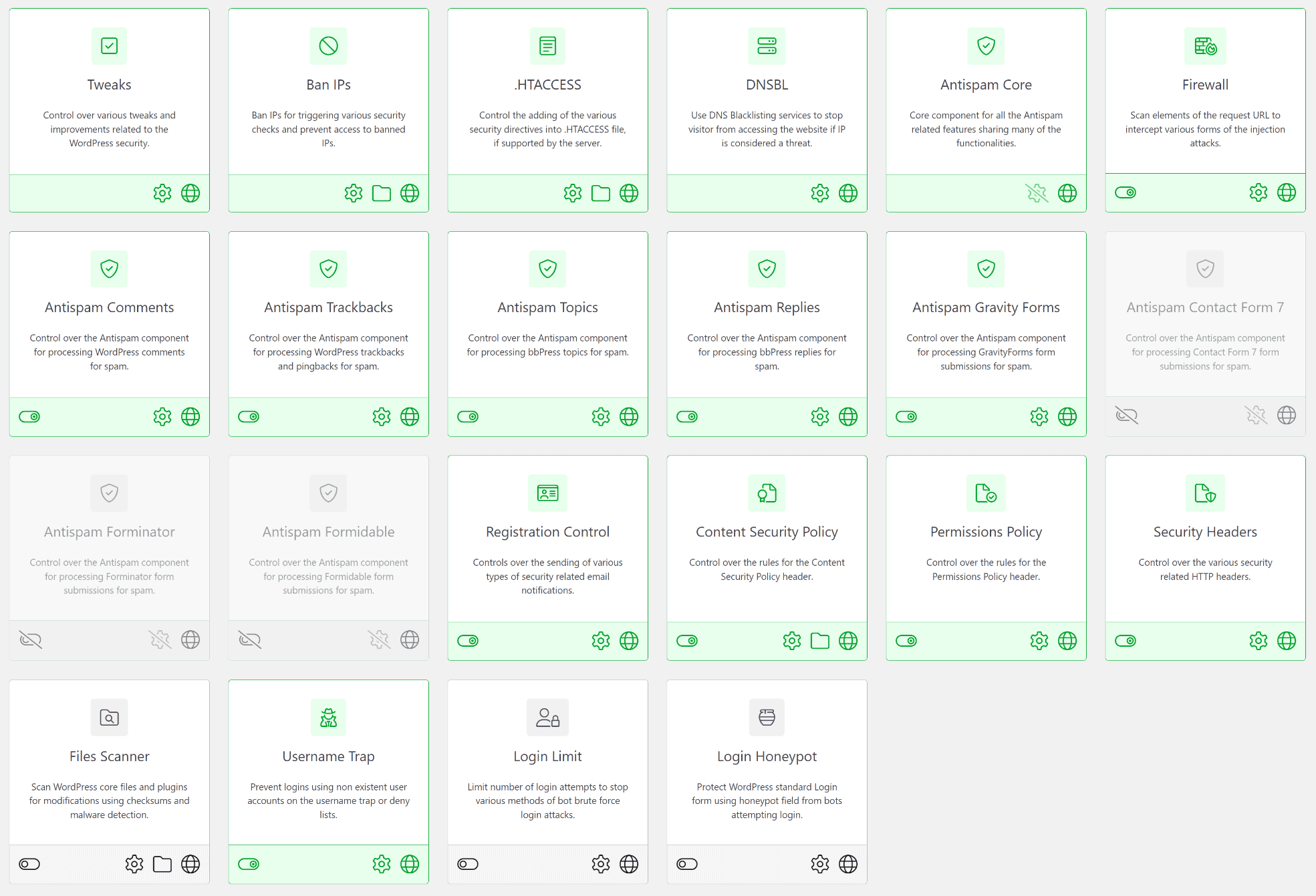
coreSecurity Pro is a brand-new plugin focusing on WordPress website security by implementing over 20 features that deal with spam, firewall, file scanning, login and registration control, security headers, and more.
coreSecurity Pro is a replacement for the old GD Security Toolbox Pro plugin, and it is a product of 10+ years of experience with WordPress security. All included features are tested, tweaked, and refined over time, and after months of active development, coreSecurity is ready for prime time. For the past few days, the plugin has been running on Dev4Press, and it is already doing a great job of replacing the old GD Security Toolbox Pro we used previously. coreSecurity Pro is not compatible with GD Security Toolbox Pro, and it can only import list of all banned IPs from the old plugin, and it will disabled old plugin on activation.
coreSecurity Pro
3 Inspector Tools
22 Security Features
10 Security Headers
Version 1.0 includes 22 Features, with five always active features; the rest can be enabled only if needed. The plugin has a Setup Wizard that will help you quickly configure plugin basics before deep diving into individual settings for each feature. To get you started, the plugin’s knowledge base contains plenty of helpful information about each feature; check it out here.
The main focus of the plugin are: Antispam, Firewall, User Registration and Login control, and Security Headers, .HTACCESS support, and File Scanner. Antispam has a huge set of antispam filters and scanners that can be deployed to check for spam in WordPress comments and trackbacks, bbPress topics and replies, form entries for Gravity Forms, Contact Form 7, Forminator, and Formidable plugins. The plugin can control the user registration process and reject all potential spam or malicious registration by running each registration email, username, and IP through a series of filters and scanners (many shared with Antispam). Additionally, a few features aim to control the login process and stop brute-force logins.
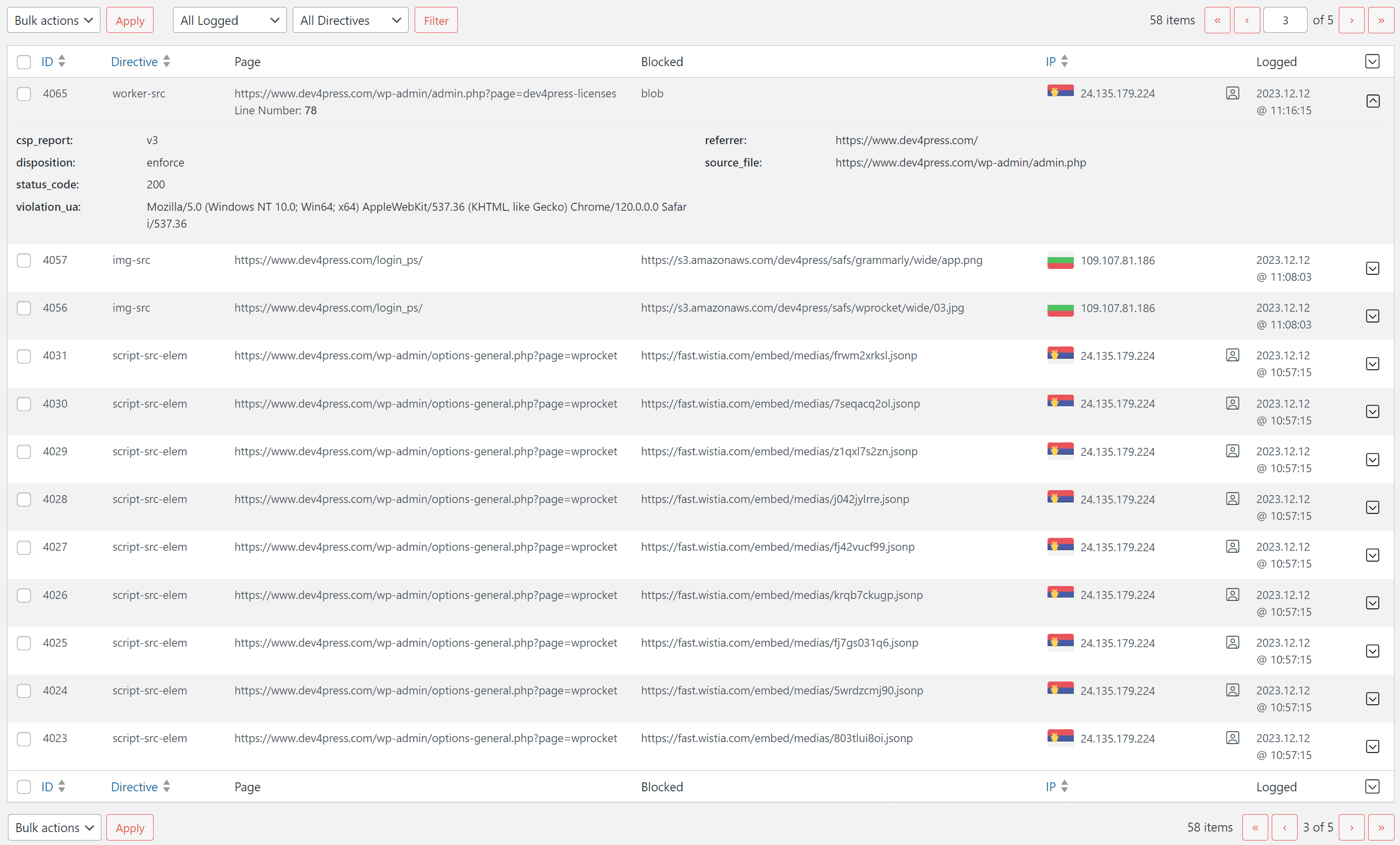
Regarding security headers, the plugin supports Content Security Policy (or CSP) with advanced settings where you can fine-tune each directive, with a set of predefined rules for popular services and additional settings, including full support for logging CSP reports for analysis. Permissions Policy has its own set of directives and can configure each one. And there are 8 more additional security headers you can configure and use.
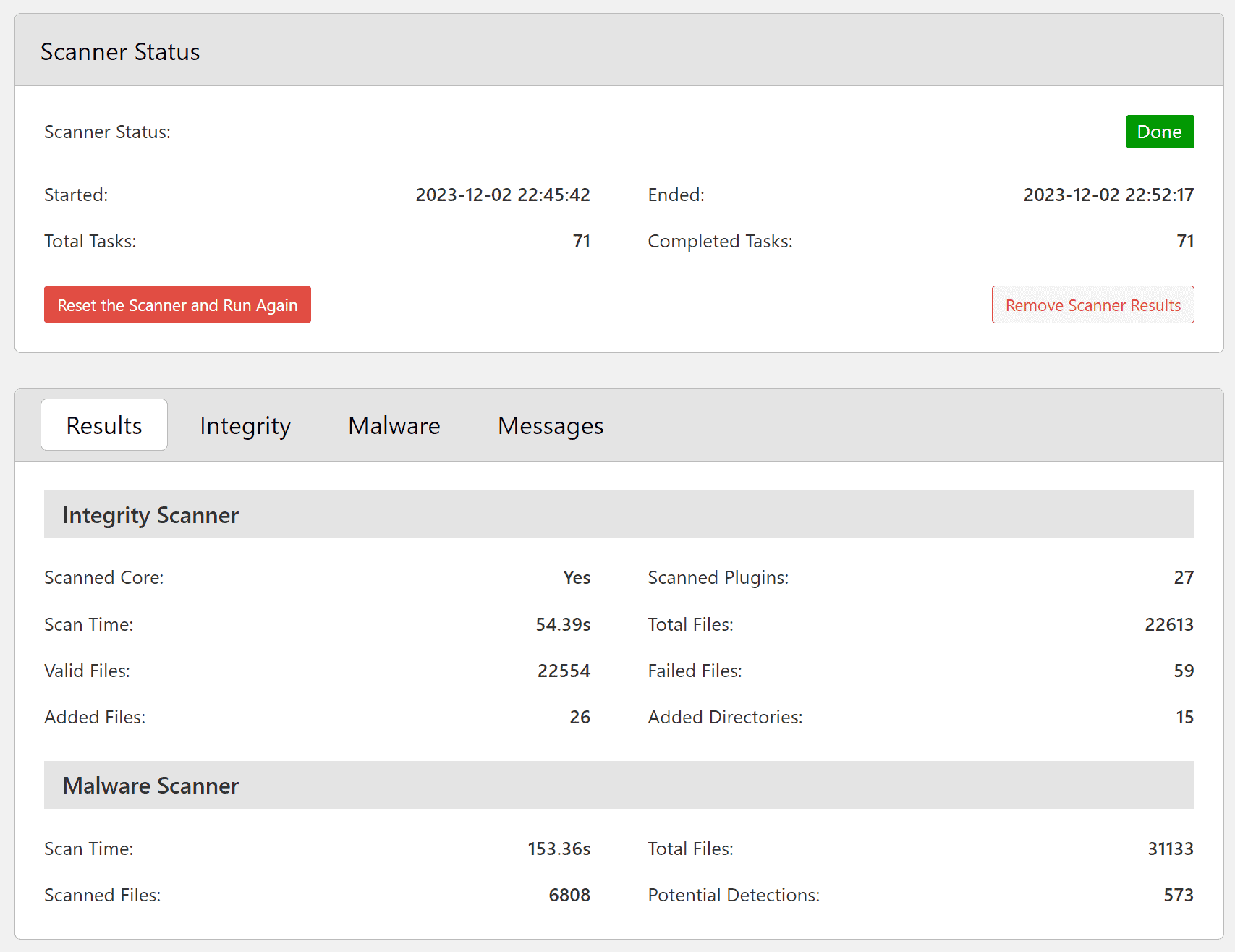
The firewall includes a set of scanners for each request URL and user agent. There are two firewalls included, with the second one implemented via .HTACCESS features directly inside the .HTACCESS file for the Apache and LiteSpeed servers. Finally, the plugin has a File Scanner that can scan your website for malware. The scanner first runs an integrity check scan for WordPress core and plugins with checksums available (all plugins from WordPress.org and all the Dev4Press Pro plugins). All files that were not checked for integrity and failed the integrity scan will be run through the Malware scanner that currently has 400+ patterns for malware detection. The plugin can’t clean the website from malware (no plugin can do that, malware cleanup can be done only by trained security experts!).
The plugin depends on the free coreActivity plugin for logging capabilities. The main goal of the coreActivity plugin was to be a main logging plugin, and other plugins can use it for additional events they can register, to have one central activity logging, and to avoid duplicating features with multiple plugins. coreSecurity implements its version of the log panel limited to security events, and one additional log panel shows only the Content Security Policy Reports log. The log is also a Live Log, so if you have that page open, you will see it auto-updated by new security events in real-time!

The most important aspect of all this is that the plugin can easily and automatically ban any visiting IP based on their activity, with the added ability for you to ban more IPs and control how long the IPs will be banned. The banned IPs panel is the main panel where you can review these IPs and from where you can add more IPs to ban.
This is only the first release of the plugin; several more features are in active development, and the next few updates are already planned. Please let me know if you have more suggestions for plugin features and improvements. Leave a comment here or in the forum.



,%20Dev4Press&media=https://www.dev4press.com/wp-content/uploads/2023/12/panel-features.png)