

coreSecurity Pro 1.9 brings several very important bug fixes (related to the file scanner), several new features related to antispam control, user session management, improvements to the file scanner, and more.
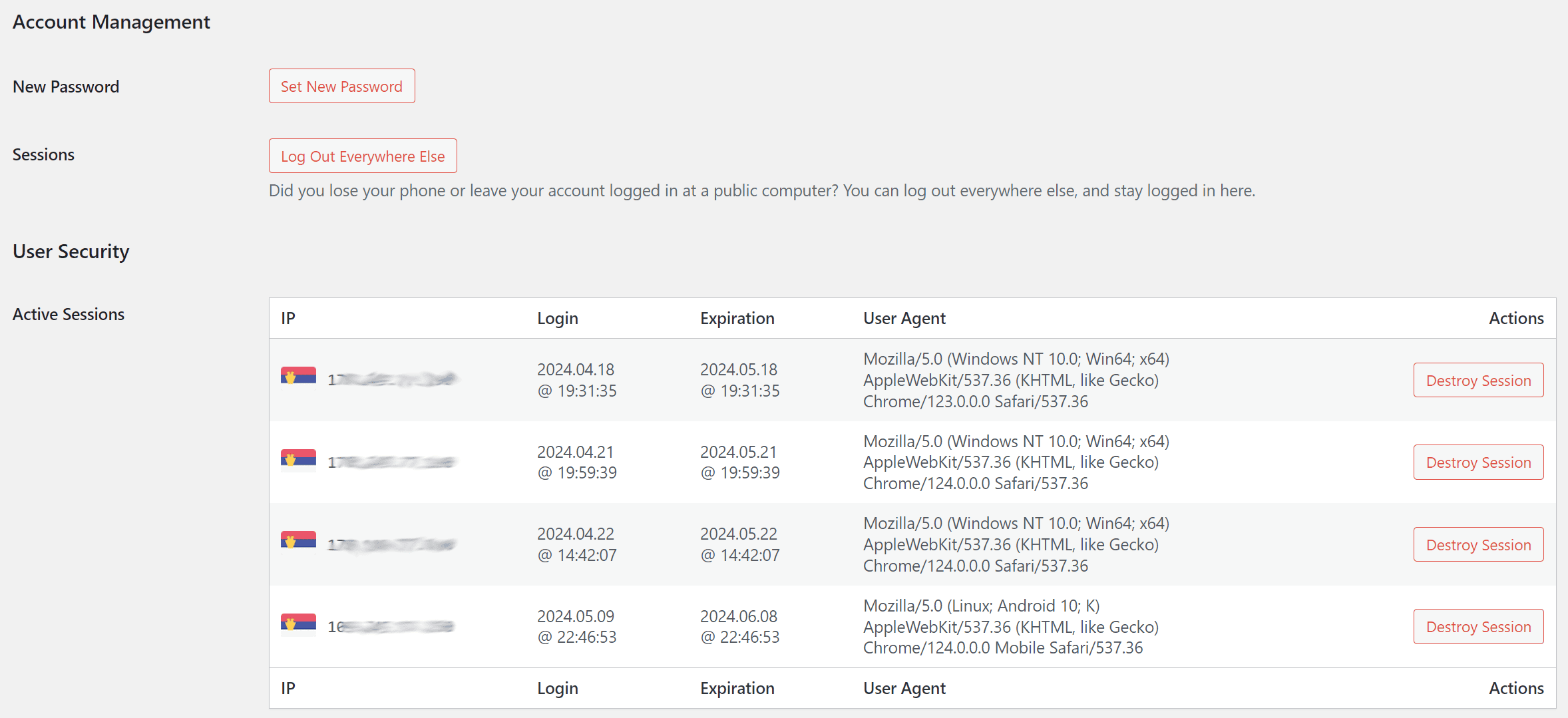
Version 1.9 continues the user’s admin panel integration by adding a User Security block on each user’s profile or edit page. This block currently shows a list of all active sessions the user has. You have the IP for each session, when it started and when it will expire, along with the device’s User Agent. Each session can be destroyed.
The Antispam for bbPress Topics and Replies has two new options: skip checks for topics and skip replies posted inside private or hidden forums. On most websites, only some users get access to private forums, and it is usually for selected users, so the antispam check is not usually needed. These new options will auto-approve the topics and replies in private and/or hidden forums.
The file scanner has a new button to abort the scanning process. If the scanner encounters an unrecoverable issue and crashes with a timeout or fatal error, it can restart itself. The information on the File Scanner panel has been expanded and added to the Help tab, too.
As for the bug fixes, several important issues with the file scanner have been fixed, including minor problems with the display of the log entries and a big issue that can be caused if the scanned directory contains symbolic links that cause the recursive scan of files, affecting the malware and integrity scanners. A few minor Integrity scanner issues have also been fixed.
coreSecurity Pro 1.9
3 Inspector Tools
28 Security Features
11 Security Headers
To see the list of all the changes in this version, please check out the changelog. If you find any issues with the new version, please, report them in the support forums.



,%20Dev4Press&media=https://www.dev4press.com/wp-content/uploads/2024/05/plugins-relase-corsecurity-1-9.png)