
Account and Upgrade Panels
coreSocial uses Freemius for account, licensing, and upgrade features. In the WordPress administration area, open coreSocial and select Account or the available upgrade entry. The actions shown depend on the edition, connection, plan, and license status.
Account
The Account page can show the connected account, site, plan, and license information. Depending on the account, it may offer Billing & Invoices, a paid-version download, or subscription/trial actions.
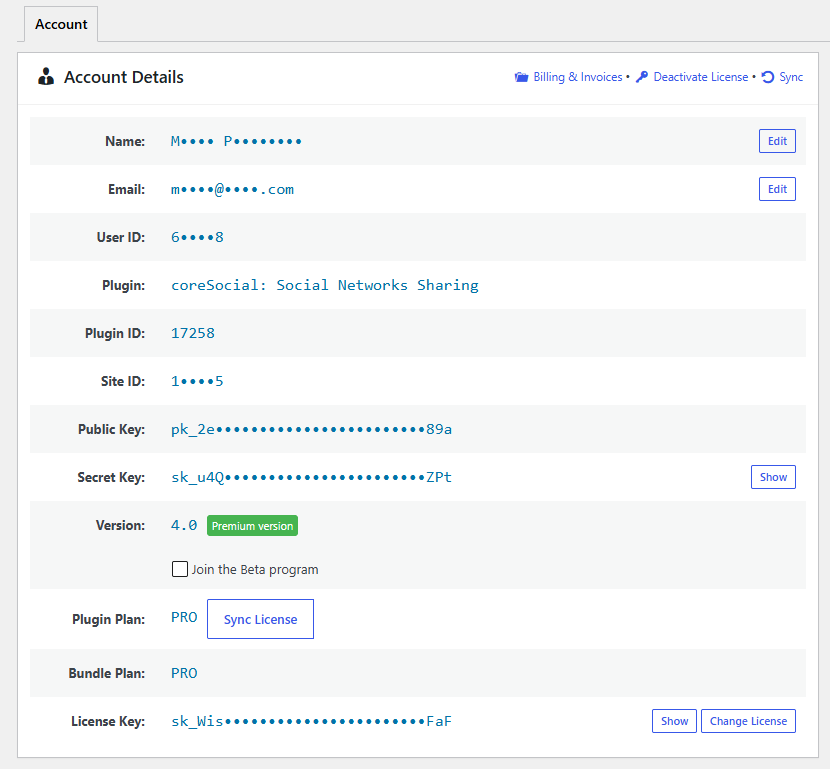
Use Activate License, Change License, or Deactivate License when the corresponding action is available. The License Activation article provides the actual steps, moving-site procedure, and activation troubleshooting.
License deactivation, WordPress plugin deactivation, and subscription cancellation are different actions. Read the confirmation before changing the license, plan, subscription, or trial.
Upgrade
In Lite, use the available upgrade entry to review Pro features and the purchase options. Check the displayed billing period, site allowance, and any trial terms before completing checkout. Availability and wording can vary with the current offer and account state.
After purchase, follow the download/install and activation prompts. See Install and Update and License Activation for those steps. Return to Overview once the site has the intended edition and activation.
Support and screenshots
Keep account details and license keys private. When requesting support, include the error message and relevant site/plugin versions, with sensitive account information removed from screenshots.
For feature configuration, use Settings; for exports or data maintenance, use Tools.