
Developer Guide to coreSocial

This content is intended for WordPress developers, and it may require coding knowledge of WordPress, PHP, and JavaScript. Code examples provided here may contain errors or needs some additional coding. Make sure to test the code before using it on a live website!
Use Settings and the placement controls before adding code. For a custom integration, choose the narrowest extension point that solves the task. This guide provides recipes; the linked reference posts give the full arguments, edition conditions, and implementation notes.
Register code at the right time
Use a site-specific plugin or a child theme for ordinary frontend filters. Register a callback before the relevant value is resolved. Bootstrap actions can fire before a theme’s functions.php is loaded; integrations listening to those events must load earlier, such as through an MU plugin.
A filter must return its value, including unchanged values outside the target case. An action’s return value is ignored. The final accepted-arguments number in add_filter() or add_action() controls how many hook arguments the callback receives.
Load settings initializes settings through the plugin’s priority-2 callback. Plugin core ready runs after core callbacks are attached but before the loader, shortcodes, blocks, and Elementor integration are initialized in that run sequence. Do not treat it as a promise that all widgets or shortcodes already exist.
Use a template function {id=”use-a-template-function”}
After WordPress has established the page query, print an inline group in an appropriate PHP template:
coresocial_display_inline(
    array( 'layout' => 'icon', 'align' => 'center' )
);
The current inline function uses the registered inline method. Keep it available and use automatic Location Do not add when you need manual-only placement; see Inline Sharing Shortcode. Its actual overrides differ from Explore and from the blocks.
For Explore in Pro, return markup without printing it:
$html = coresocial_display_explore(
    array(
        'networks' => array( 'openai', 'gemini' ),
        'layout'   => 'icon',
    ),
    false
);
echo $html;
Both display functions return markup even when their default $echo=true also prints it. Do not echo that return value a second time. Read coresocial_display_inline and coresocial_display_explore for their distinct supported options and empty-result behavior.
Control automatic placement
The inline location filter selects top, bottom, both, or hide. The inline visibility filter receives the calculated result of the normal query/post-type/location checks.
Preserve that result when adding an exclusion:
add_filter( 'coresocial_inline_the_content_show', function ( $show ) {
    return $show && ! is_page( 'checkout' );
} );
This affects automatic insertion, not every manual block or widget. For Pro Floating Bar, coresocial_floating_show controls whether the footer output is attached; its scroll threshold and tab behavior are separate frontend concerns.
The supported-post-type filter changes the choices offered for configuration; returning a post type does not itself enable automatic insertion there.
Customize page context and titles
Page context is an array containing item, item_id, url, title, and image. Preserve the complete structure when making a targeted change. Current-page, specific-post, and specific-term contexts can use different resolver paths.
For a current-page URL normalization:
add_filter( 'coresocial_get_current_url', function ( $url, $method ) {
    return remove_query_arg( 'preview_token', $url );
}, 10, 2 );
See the current URL, current title, post title, term URL, and term title references before choosing a hook. The optional site-name suffix is applied after title filters.
The post URL filter receives the permalink, post object, and method. Featured images use the separate post image filter, with the image URL, attachment ID, post object, and method. Migrate callbacks that previously handled image URLs through coresocial_get_post_url to coresocial_get_post_image; the old image call is no longer made.
Changing context does not bypass tracking signatures, allowed action/network combinations, or public-object validation. Use custom item context with ID 0 for a custom URL when supported by the renderer.
Adjust network attribution and hashtags
Start with Account and Hashtags in Networks settings for fixed site-wide values. Bluesky and Twitter resolve configured/local values before their account and hashtag filters run.
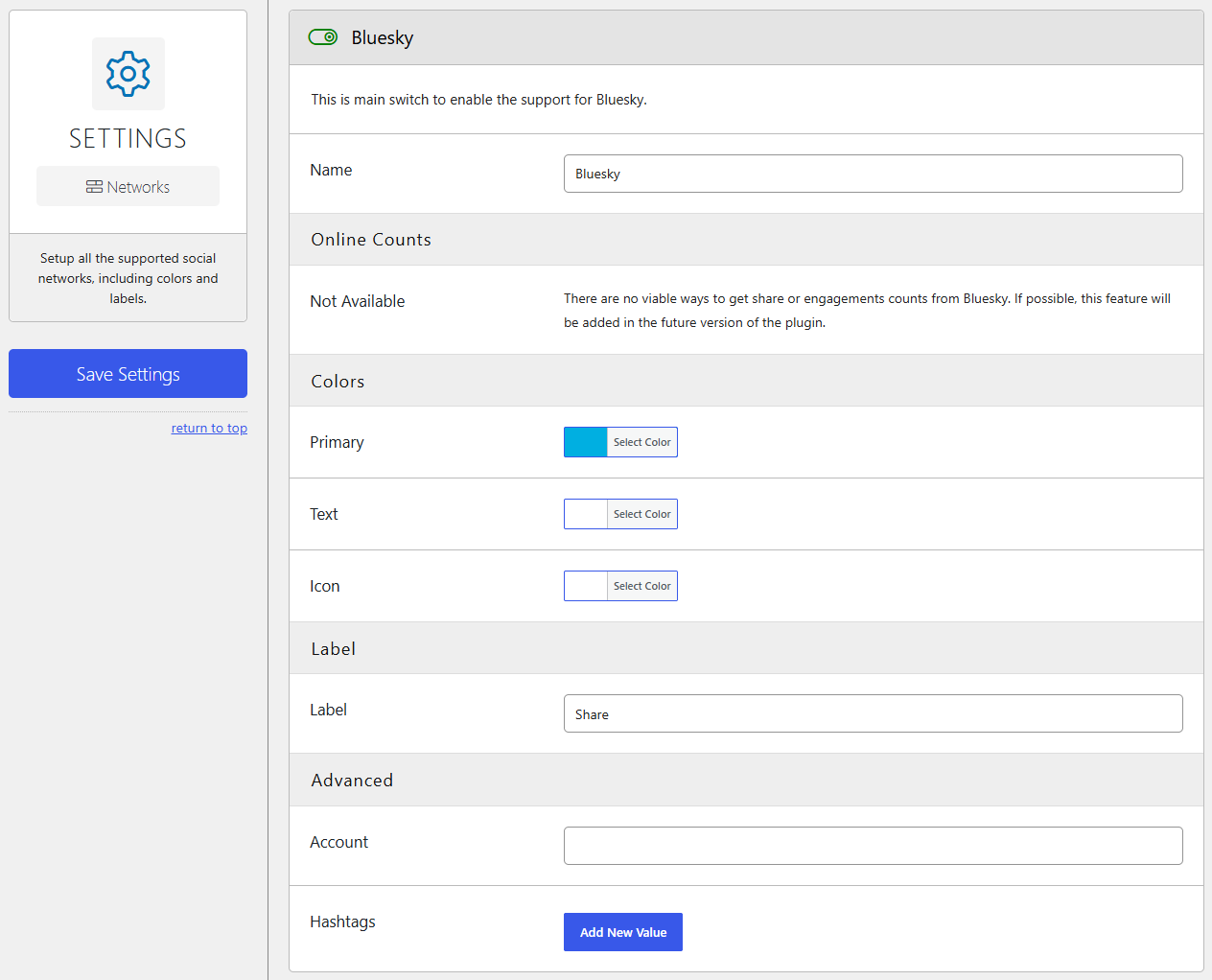
For example, append a hashtag while preserving the existing set:
add_filter(
    'coresocial_network_bluesky_link_hashtags',
    function ( $hashtags, $item_id ) {
        $hashtags[] = 'WordPress';
        return array_values( array_unique( $hashtags ) );
    },
    10,
    2
);
Use strings without leading # characters. See the Bluesky hashtag and account references, or Twitter hashtags and account. The item ID alone does not tell a callback whether the shared object is a post or term.
Override CSS variables
The CSS variables filter receives a variable-name/value map before the late head output. Keep unrelated entries:
add_filter( 'coresocial_css_variables', function ( $vars ) {
    $vars['--coresocial-inline-rounded'] = '8px';
    return $vars;
}, 20 );
An individual block or Explore render can have scoped overrides, so a root variable is not a universal replacement for every instance’s own styles. Prefer a placement’s CSS Class for site-specific styling where appropriate.
Customize bbPress output {id=”customize-bbpress-output”}
Direct bbPress integration and its hooks require coreSocial Pro with bbPress active.
Use the forum or topic skip filter for an exclusion. Use the forum render settings or topic render settings for rendering changes after button construction.
For example, change topic alignment while preserving the other arguments:
add_filter(
    'coresocial_bbpress_embed_topic_settings',
    function ( $settings ) {
        $settings['align'] = 'right';
        return $settings;
    }
);
For adjacent output, the topic before and after actions run inside the wrapper when the embed is not skipped. Forum actions follow the same pattern. See bbPress Integration for the available placements.
Observe frontend events
Frontend events use JavaScript wp.hooks.addAction(), not PHP add_action(). Enqueue your listener with the wp-hooks dependency and register it before the user interaction you want to observe.
wp.hooks.addAction(
    'coresocial-sharing-popup-open',
    'my-site/share-observer',
    function ( details, link, popup ) {
        if ( ! popup ) {
            console.log( 'The sharing popup was blocked.' );
        }
    }
);
Popup ready fires before the standard popup call; popup open fires afterward even if it was blocked. App-specific and AI handlers need not follow that popup path. Print reports the print-dialog action; the Pro QR action reports overlay display. None confirms a completed share, print job, or scan.
Diagnose tracking requests
Use the live-handler error action for consistent error context. Keep callbacks lightweight; do not print content into the JSON response or log private request data unnecessarily.
The raw request-error action has optional arguments and a built-in priority-10 handler that exits. An observer of that raw action must run earlier. Request start is before full validation, not proof of an accepted record.
For a deliberate rejection, use vote preprocess. Return false to continue, true for the default rejection, or a code/message array. The legacy live-handler filter only continues on strict false; another value reaches the incomplete-request error path rather than returning a successful custom response.
Verify an integration
For network selection, button arguments, dynamic profiles, recording notifications, online count results, and tracking or clipboard events, see Rendering and Tracking Hooks. These extension points are available from coreSocial 4.0; Explore prompts require Pro.
Test both the target condition and unaffected pages, logged-in and anonymous behavior where relevant, manual versus automatic placements, and the actual public URL context. Refresh relevant caches after changing code. Review the Database Schema for storage concepts, and use Tools cautiously when maintaining activity data.